
How to valuate a property with CASAFARI
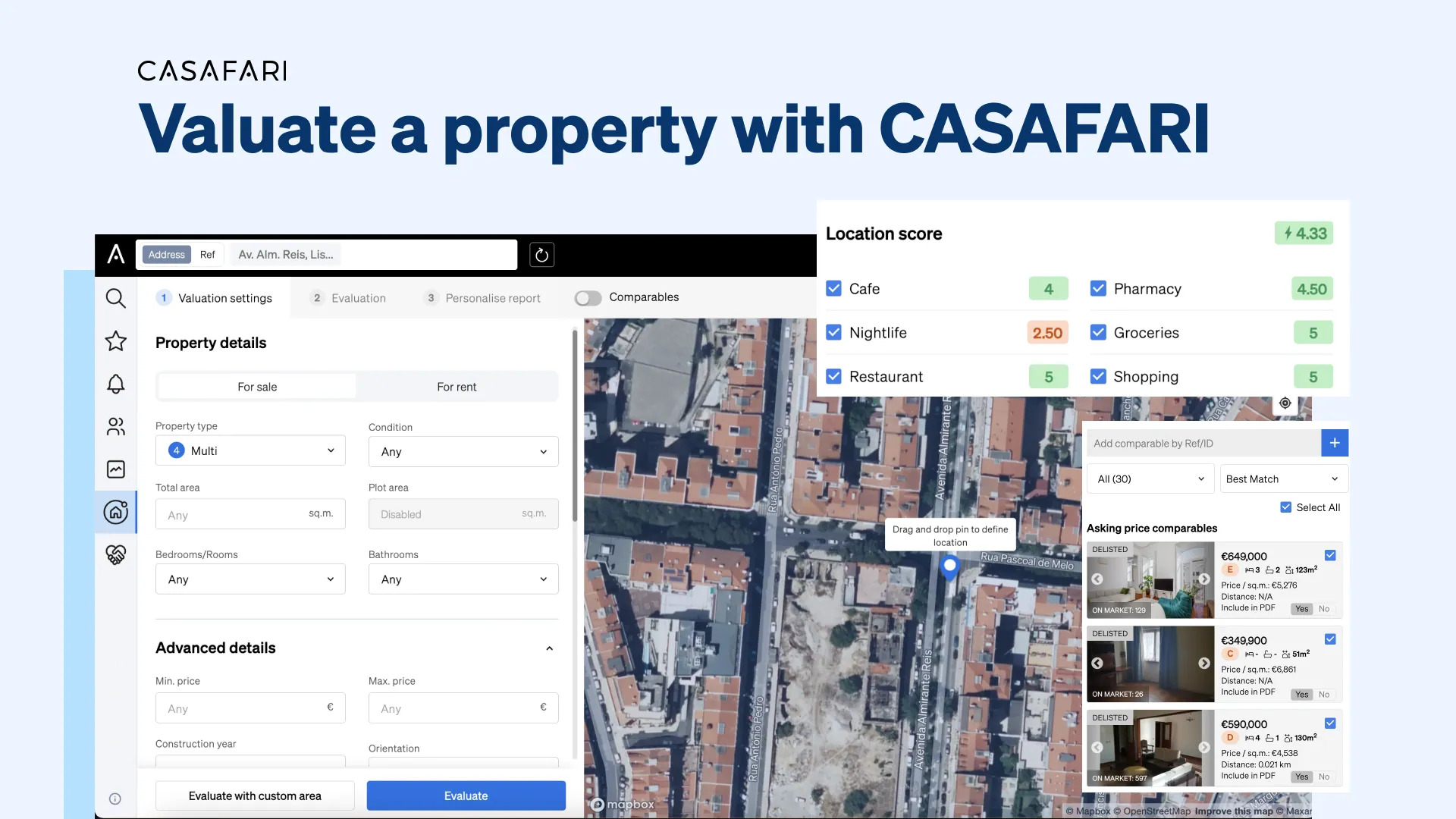
CASAFARI values properties in four steps: setting basic property criteria such as address, rooms, condition, and energy rating; filtering comparable listings by specific amenities and asking or closing prices; tailoring the search radius and lifestyle score; and customising the branded valuation report. Powered by AI analytics across 16 countries (including the US in selected states for commercial real estate only via Claro AI), it delivers precise comparative market analyses.
How does a property valuation work in CASAFARI?
The whole process of valuing a property with CASAFARI is simple and completed in just a few minutes, but every detail counts when it comes to guaranteeing data accuracy. Let’s see all the steps and how they affect the final result of the property valuation.
1. What basic property details do you need to start a valuation?
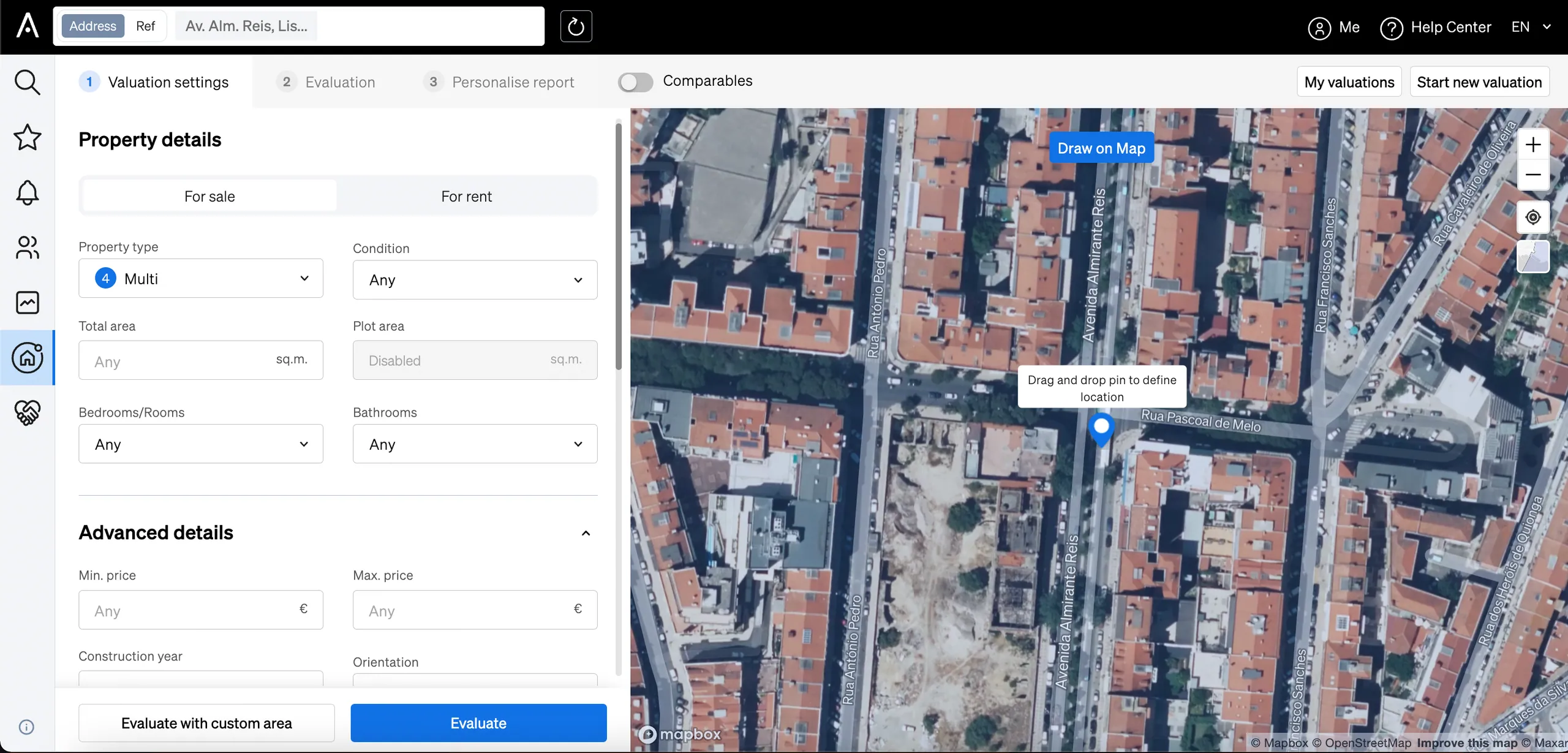
Once inside CASAFARI’s Property Valuation and Market Study, enter an address to start defining an area. Another information to select is whether the valuation of the property will analyse prices for rent or sale. Define the amount of bedrooms and bathrooms of the properties that should be analysed, in which condition they are (used, to refurbish, very good or new) and the area. Then, you can even set a price range, the year of construction, floor and energy rating.
2. How do property characteristics and price types refine your comparables?
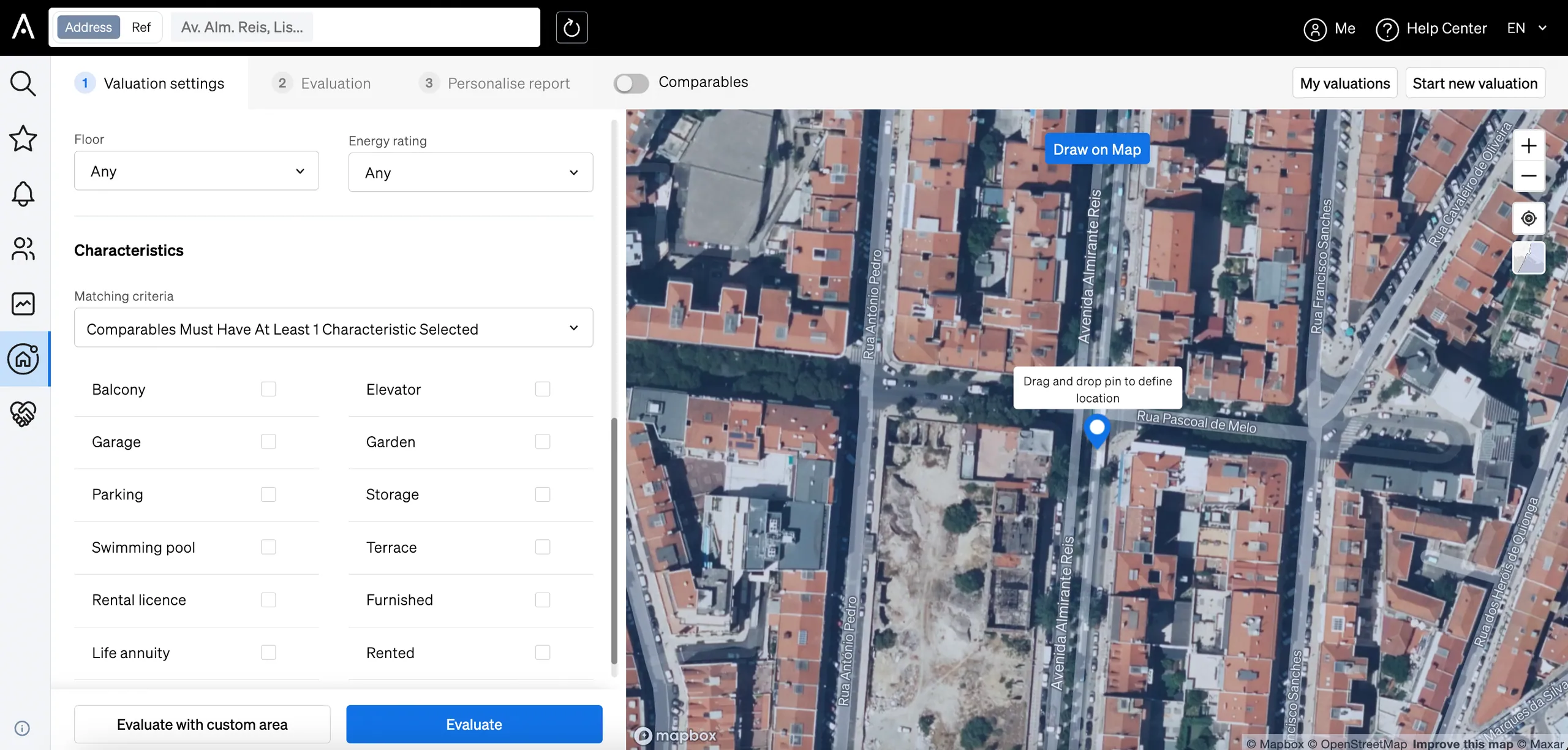
When evaluating the price of a place for your client, the next thing you need to do is tell us which characteristics are present in the property they wish to buy or sell. Assets like a swimming pool, a parking spot, a garden, storage space or furniture can significantly change the value attributed to a property.
The level of detail you provide in your property valuation also directly impacts the accuracy of the results. CASAFARI’s software will make comparative market analyses to determine a property’s estimated value by analysing similar listings, recent sales, and market trends.
The more specific details you input—such as the exact location, square footage, number of rooms, renovation status, amenities, and even unique features like a sea view or a private garden—the more refined the comparison set becomes. This allows the system to filter out irrelevant properties and focus only on the most comparable ones, leading to property valuations and price suggestions that are far more precise.
Secondly, decide whether the comparable properties should consider only those active (currently for sale) on the market or only sold ones. And, if you decide your analysis should look at sold places, you can select if the comparison should take into account the asking price they had or closing prices on the property valuation report.
If you opt to analyse only sold properties based on their asking price, the valuation will reflect the prices that real estate agents actively promote on the market. This means the suggested value will be aligned with what buyers see when browsing for properties, helping sellers stay competitive.
On the other hand, if you choose to analyse only sold properties based on their closing prices, it will consider the final transaction values after negotiations. This approach is particularly valuable for those who want to understand what buyers are actually willing to pay for similar properties. Sellers can use this data to anticipate potential negotiations, adjust their expectations, and develop a pricing strategy that minimises time on the market while maximising returns.
3. How do search radius and Location Score affect property value?
Select the distance the comparables should be found within. The shorter the distance, the more your property valuations will value a specific location – which is always good when you have clients that are looking for property in a target area.
When looking at the Location Score section of the platform, it’s time you tailor this score according to your clients’ lifestyle. Do they go out to eat or party often? Would they rather be well served by shopping options? Tick whatever floats their boat to identify if this property is located in the right area for them.
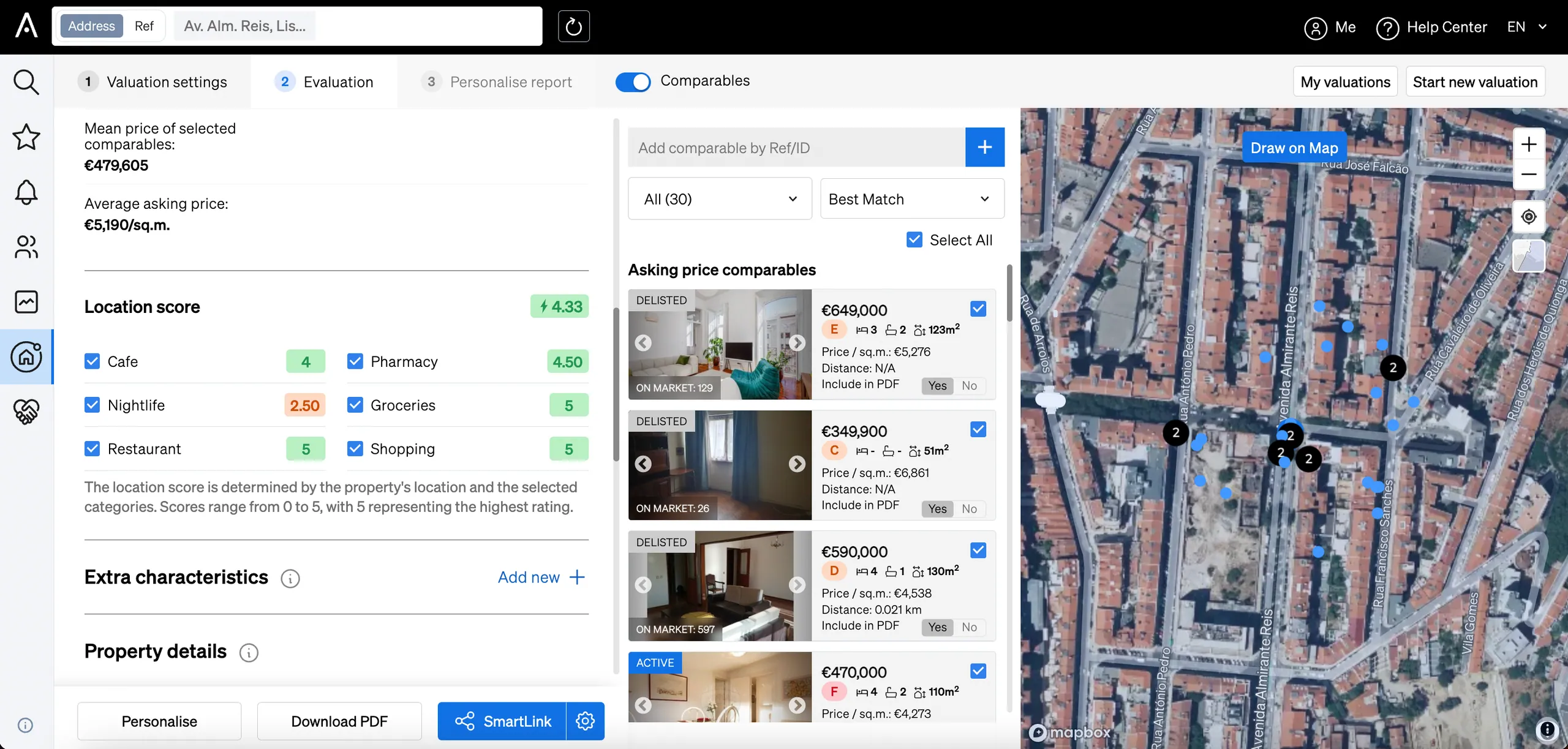
The right location can both impact the quality of life and the investment needed to live in certain areas of the city. This makes it even more important to work your online property valuation to show you the right prices per area and how relevant they are to your clients.
4. How can you customise the property valuation report for your client?
Finally, you can customise your property valuation report to your business’ needs. Edit your contact info, branding colours, add a cover and other pages you desire. Additionally, to make it work for a specific client, insert their name, any comments you might need and set a language.
And when it comes to the content itself, you can edit the estimated values, the order of the components or exclude any information.
Size, location, conditions, competitors on the market: all of it impacts what the property valuation will show in the end and the values suggested. Make sure you add all the details required to value a property with CASAFARI and obtain accurate market results.
Frequently asked questions
What is the difference between valuing a property with asking prices versus closing prices in CASAFARI?
Analysing sold properties by their asking price reflects the prices estate agents actively promote on the market, helping sellers stay competitive with what buyers see online. Analysing sold properties by closing prices considers final transaction values after negotiations, showing what buyers actually pay. This enables sellers to anticipate negotiations and adjust their pricing strategy to minimise time on the market.
Which property details and features can I filter in a CASAFARI valuation?
In a CASAFARI valuation, you can specify the address, transaction type (sale or rent), bedrooms, bathrooms, condition, floor area, price range, construction year, floor level, and energy rating. You can also filter by specific amenities such as a swimming pool, parking space, private garden, storage, furniture, or sea view to refine comparable listings.
How does the Location Score work in a CASAFARI property valuation?
Alongside choosing a search radius for comparable properties, you can tailor the Location Score to reflect your client’s lifestyle preferences, such as dining out, nightlife, or shopping options. This helps show how relevant the neighbourhood and its property prices are to their specific daily needs.
Can I customise a CASAFARI property valuation report with my agency’s branding?
Yes, you can personalise valuation reports by updating contact details, brand colours, cover pages, and report language, as well as adding client names and custom comments. You can also adjust estimated property values, reorder sections, or exclude specific information to suit your business requirements.
Can developers automate property valuations and comparables via CASAFARI’s API or MCP?
Yes, teams can perform comparative market analyses directly in the CASAFARI web app. Developers can also integrate automated property valuations and comparables into their own software and AI assistants using the Comparables & Valuation API documentation and Casafari MCP.