
CASAFARI AI, the Chrome extension to explore property data in any real estate website

CASAFARI AI is a free Chrome extension that gives estate agents and property investors instant access to CASAFARI’s market data directly within their browser while viewing any property portal or website. Without leaving the page, professionals can review cross-listing details, property history, instant valuations, comparable properties and key market statistics to make informed, data-driven real estate decisions.
What is CASAFARI AI?
CASAFARI AI is a third layer of real estate intelligence, a CASAFARI Chrome extension that allows you to access market insights beyond the web platform and mobile application. You can view all required information directly in your browser, without switching digital environments.
With this free tool, estate agents and property investors can explore the market and access real-time data while browsing any portal or website.
Tailored for real estate professionals, the extension streamlines research and valuation workflows, assists lead generation and supports productivity.
What property data can you access with CASAFARI’s Chrome extension?
-
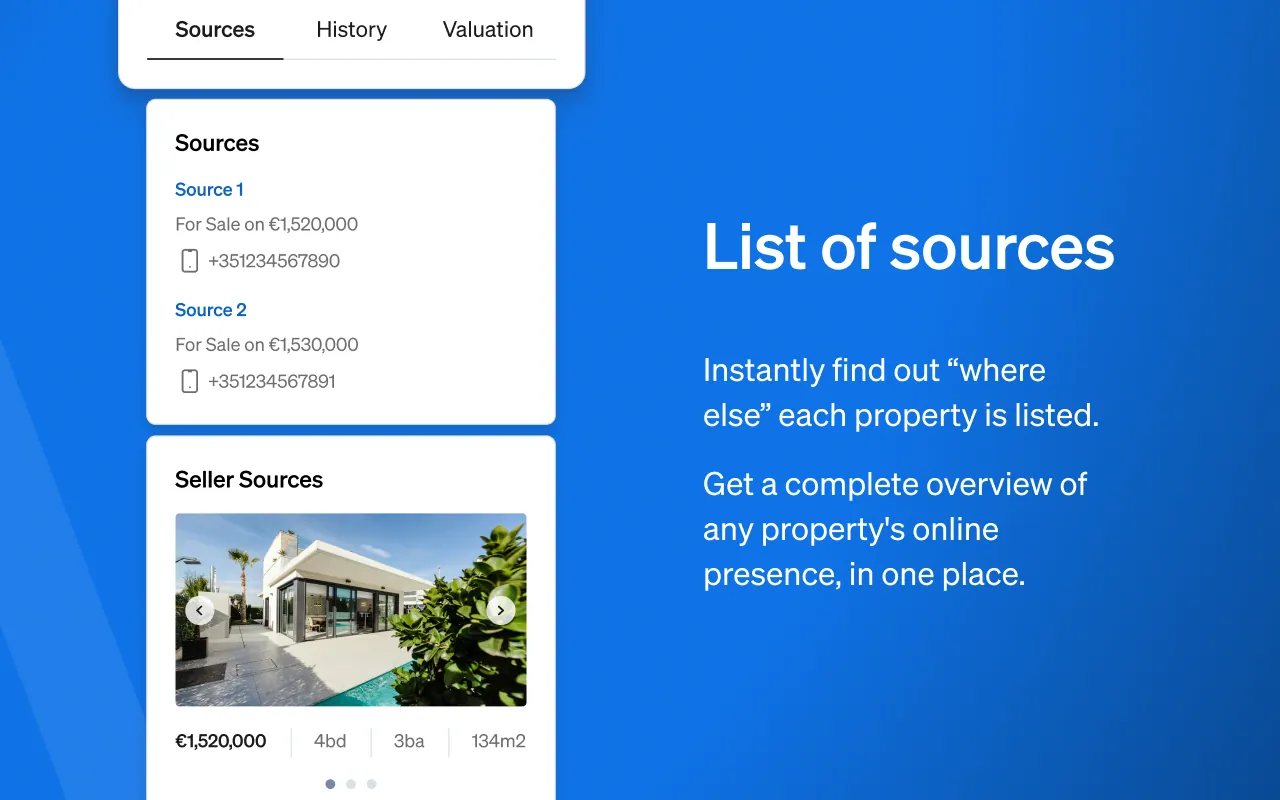
Cross-listing information: Search using the URL or Reference/ID of the listing to see where else a property is advertised online, asking prices across portals and seller contact information.
-
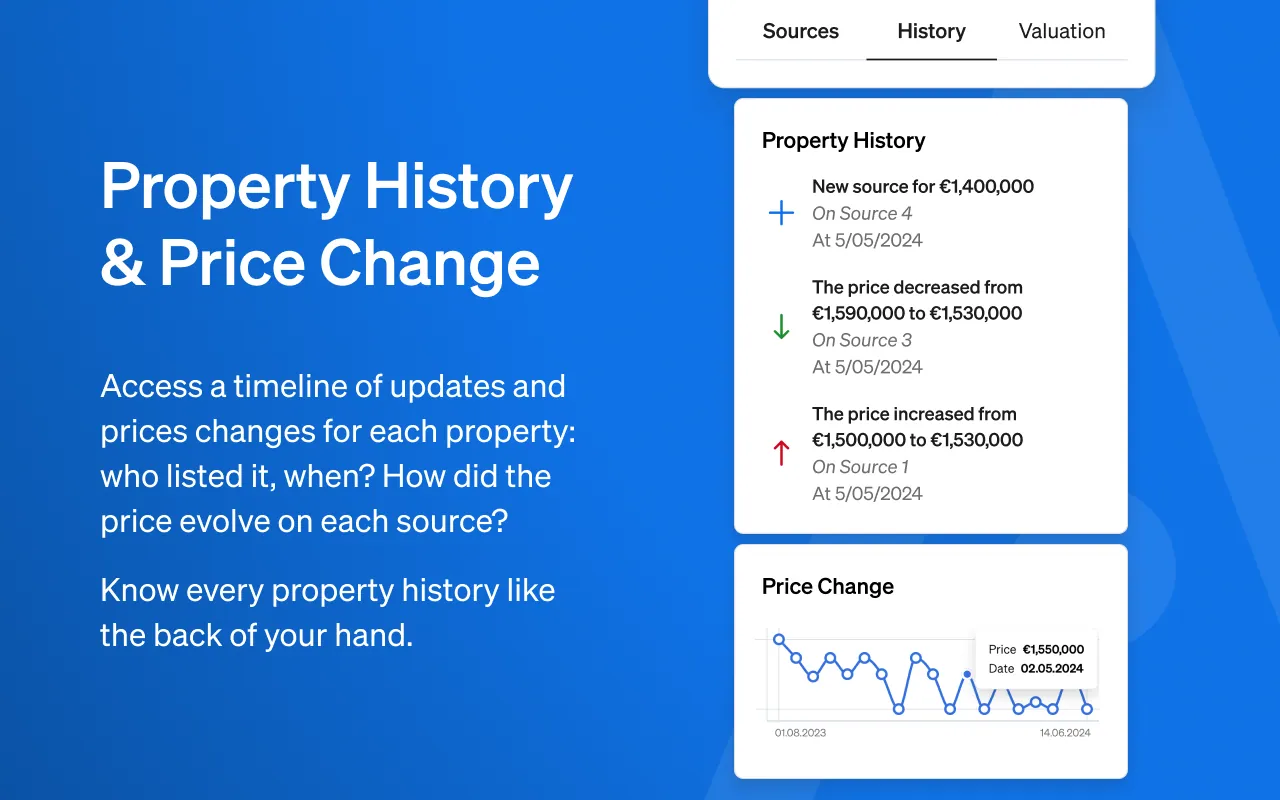
Historical information: Check the complete property history and price changes since a listing first entered the market, including asking price fluctuations.
-
Instant valuation: Perform a quick property valuation and market study to estimate value and assess negotiation margins with sellers.
-
Market statistics: Review average time on market, average asking price per square metre from indexed listings, and the number of similar properties sold in the last six months.
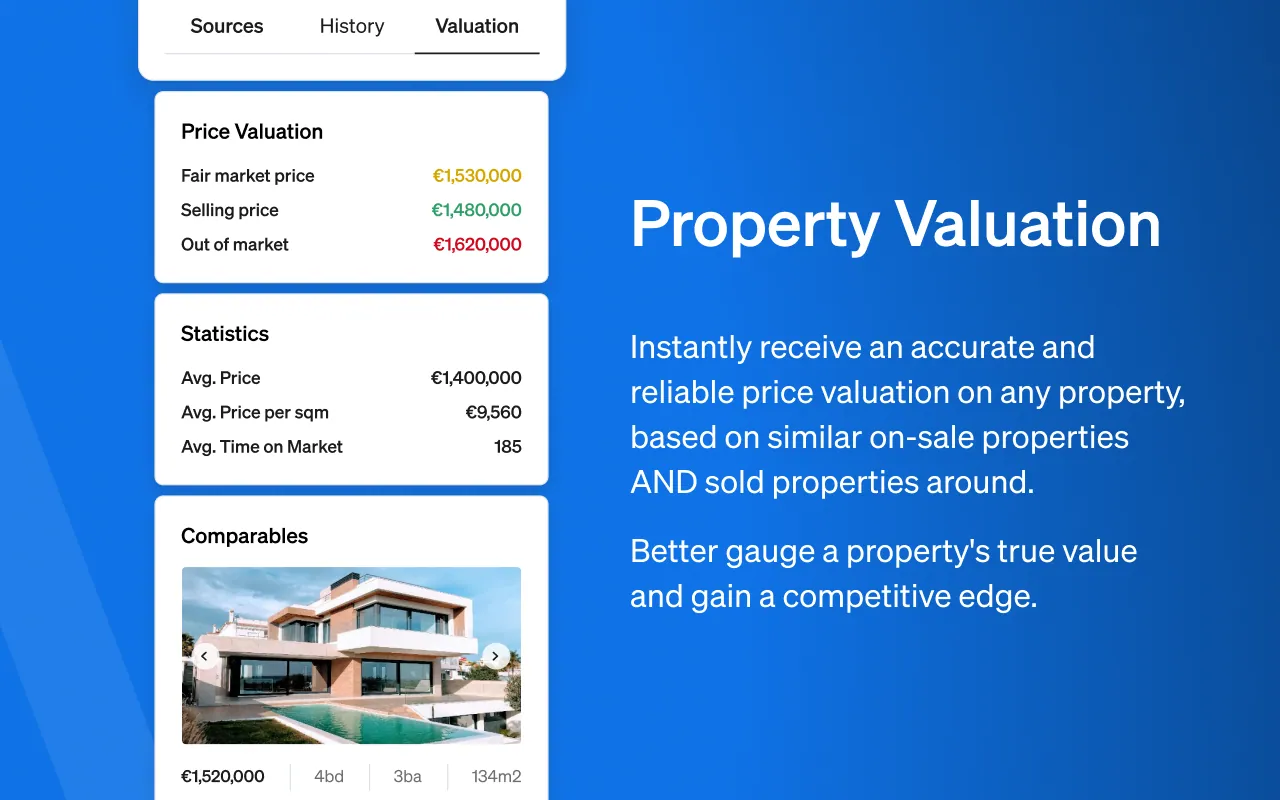
- Comparable properties: View the comparable assets used to calculate valuations alongside active competitor properties on the market.
By combining the information in the browser extension with market analytics when you sign in to the CASAFARI platform, you can develop a data-driven buying or selling strategy.
CASAFARI AI provides real estate professionals with real-time data directly where they work, expanding analytical capabilities across any property website.
Frequently asked questions
What is the CASAFARI AI Chrome extension?
The CASAFARI AI Chrome extension is a free browser extension providing a third layer of real estate intelligence alongside the web platform and mobile app. It enables estate agents and property investors to view CASAFARI property data directly on any property portal or website without switching digital environments.
What property history and cross-listing details does the extension display?
Users can search by listing URL or reference ID to discover where else a property is advertised online, compare asking prices across portals, and view seller contact details. The extension also reveals the complete listing history, tracking timeline events and asking price fluctuations since the property was first listed.
Can I generate a property valuation directly inside the Chrome extension?
Yes, the extension generates quick property valuation estimates directly within your browser. It calculates value using comparable properties and active market competitors, helping agents and investors evaluate negotiation margins.
What market statistics are available in the CASAFARI browser extension?
For any selected property type, the extension provides average time on market, average asking price per square metre from indexed listings, and closing activity showing the number of similar properties sold over the last six months.
How do I install and activate the CASAFARI Chrome extension?
Users can download the extension for free from the Chrome Web Store. To learn how to use the CASAFARI Chrome extension, simply install it and sign in with your CASAFARI account credentials to display data overlays while browsing property portals.