
Property transaction data: why it matters and how to find it on CASAFARI
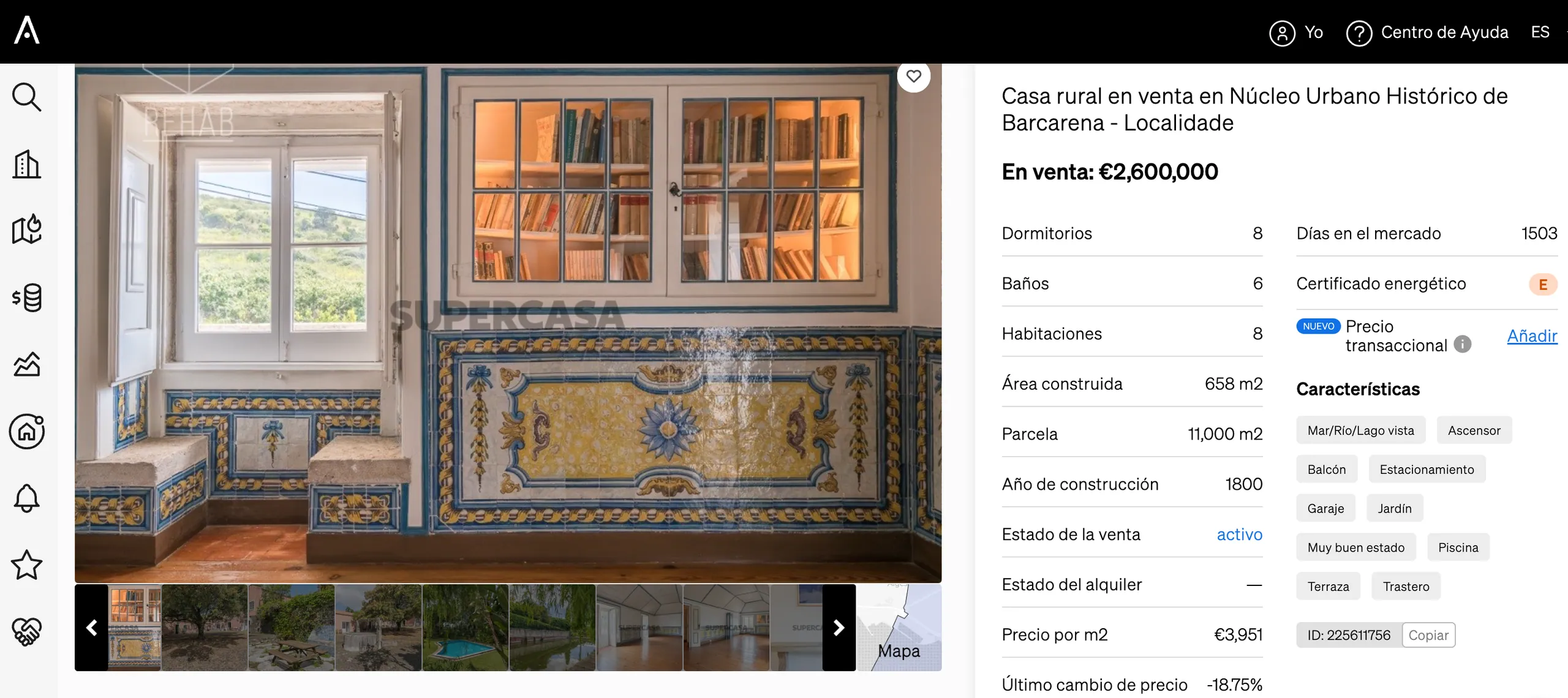
Property transaction data or closing prices allow professionals to compare initial asking prices with actual sale amounts, calculate realistic negotiation margins, align their clients’ expectations and close deals faster. On CASAFARI, agents can log their own closing prices individually or in bulk, with exclusive visibility for their company.
Why is access to property transaction data so important for a real estate business?
As a real estate professional, you know that what a seller asks for a property is one thing, and what a buyer thinks it is worth is quite another.
When demand in an area exceeds the supply of properties available on the market, or when there is a shortage of a specific asset type, buyers tend to compete for properties, making stronger offers and driving up transaction prices.
Conversely, when demand falls in an area or buyers reach a spending limit, they are likely to try to negotiate prices down. In these situations, the asking price will differ from the actual transaction price.
By having access to property transaction data with CASAFARI’s property valuation and market analysis tool, you can check whether properties are selling above or below their original asking price, enabling you to search for properties within your buyer’s budget and calculate realistic negotiation margins. This manages your clients’ expectations and helps you close deals faster.
For example: if properties typically sell for 10% above the asking price in a specific area, you will need to look for properties below your client’s budget to allow for that margin. If properties are selling for less, as an agent you can make a lower offer and help your client purchase a property without spending their entire budget.
In summary: having access to property transaction data will help you work more efficiently and deliver a higher-quality service to your clients.
Why include your property transaction data in CASAFARI?
When analysing the transactional market, the more data you have, the higher the precision. When consulting comparables with real closing prices, moving from seeing a sample of what happens with a single agent to observing what typically happens across an entire community of professionals gives you a fuller, more realistic view of true market behaviour.
Furthermore, you should know that any property transaction data you add to CASAFARI can only be viewed by agents within your own company. You are therefore helping your firm improve its market knowledge, increase revenue and satisfy clients.
How to add your property transaction data to CASAFARI
Adding transaction data to CASAFARI is very simple:
- Search for the property you have sold;
- Click to open the property page;
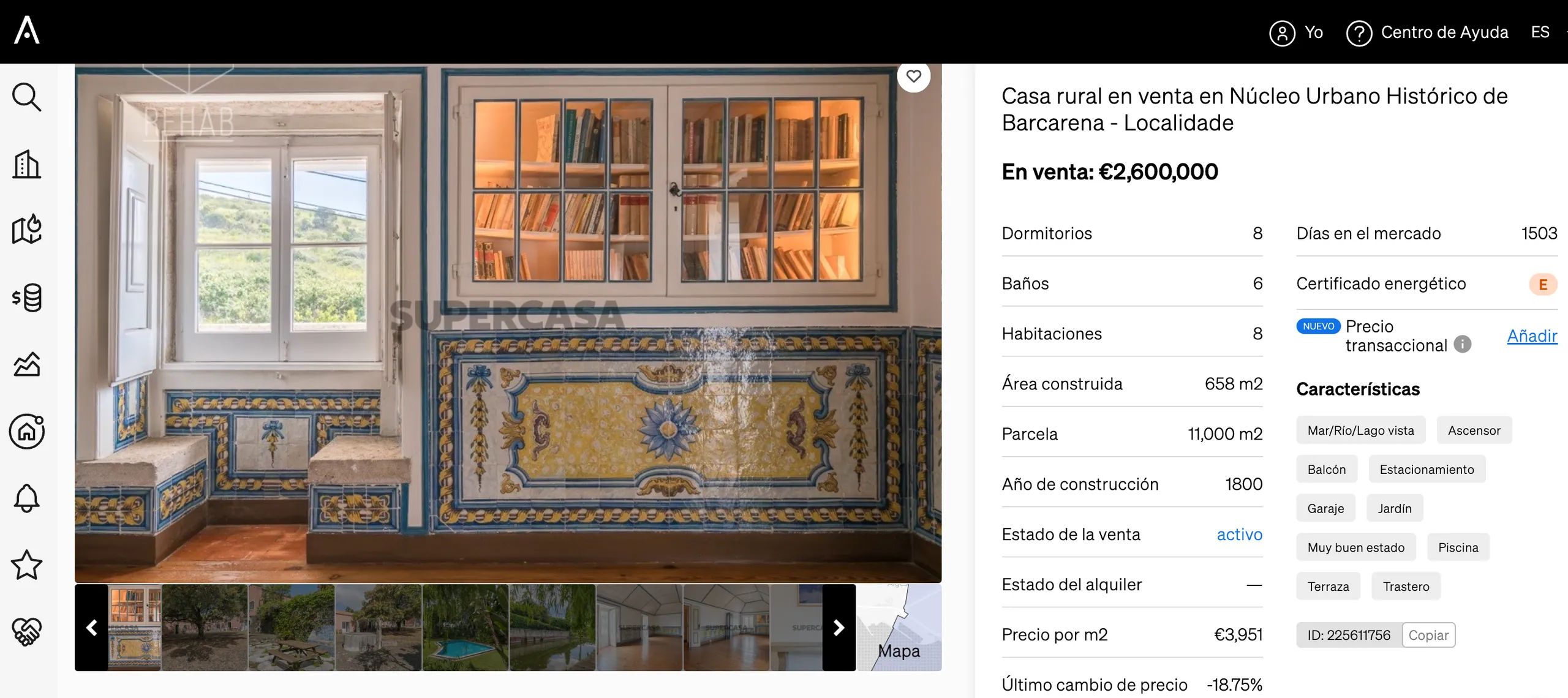
- On the right-hand side of the page, find the “Transaction price” field and click “Add”;
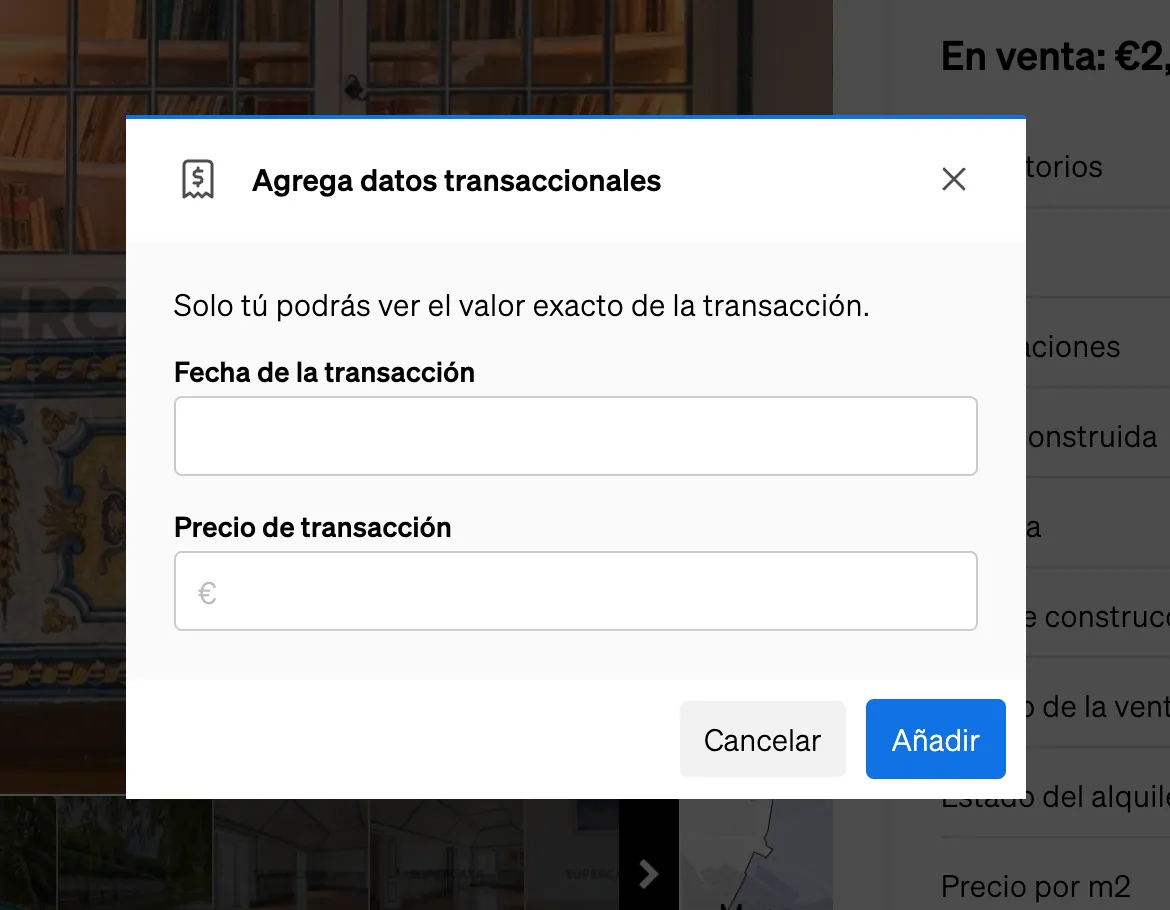
- Enter the date and amount of the property sale.
How to add property transaction data all at once
If you want to update transactional data for multiple properties at the same time, you can also do so:
- Log in to CASAFARI;
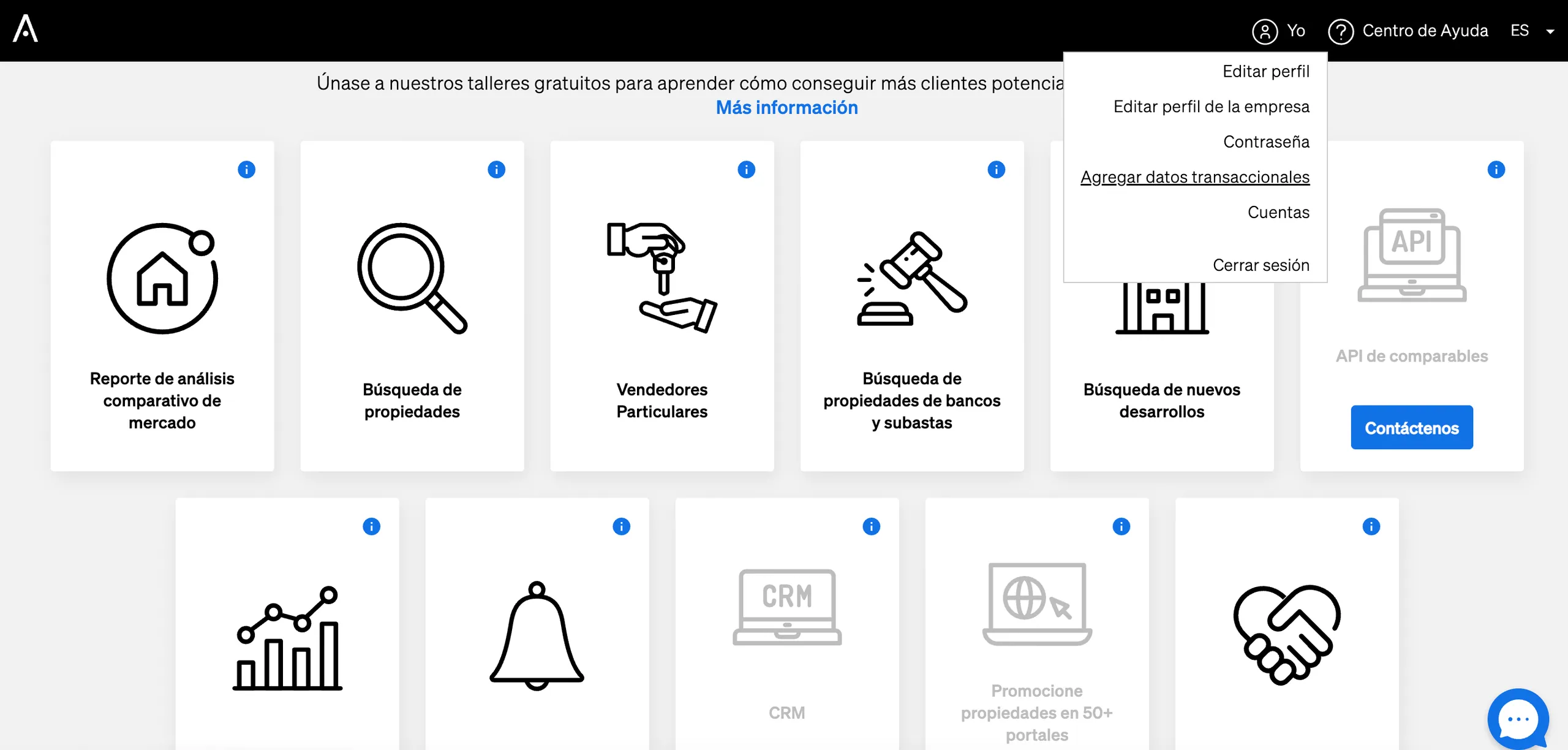
- Click “Personal” in the top right-hand corner of the page;
- Click “Add transaction data”. Please contact an account manager to activate this feature.
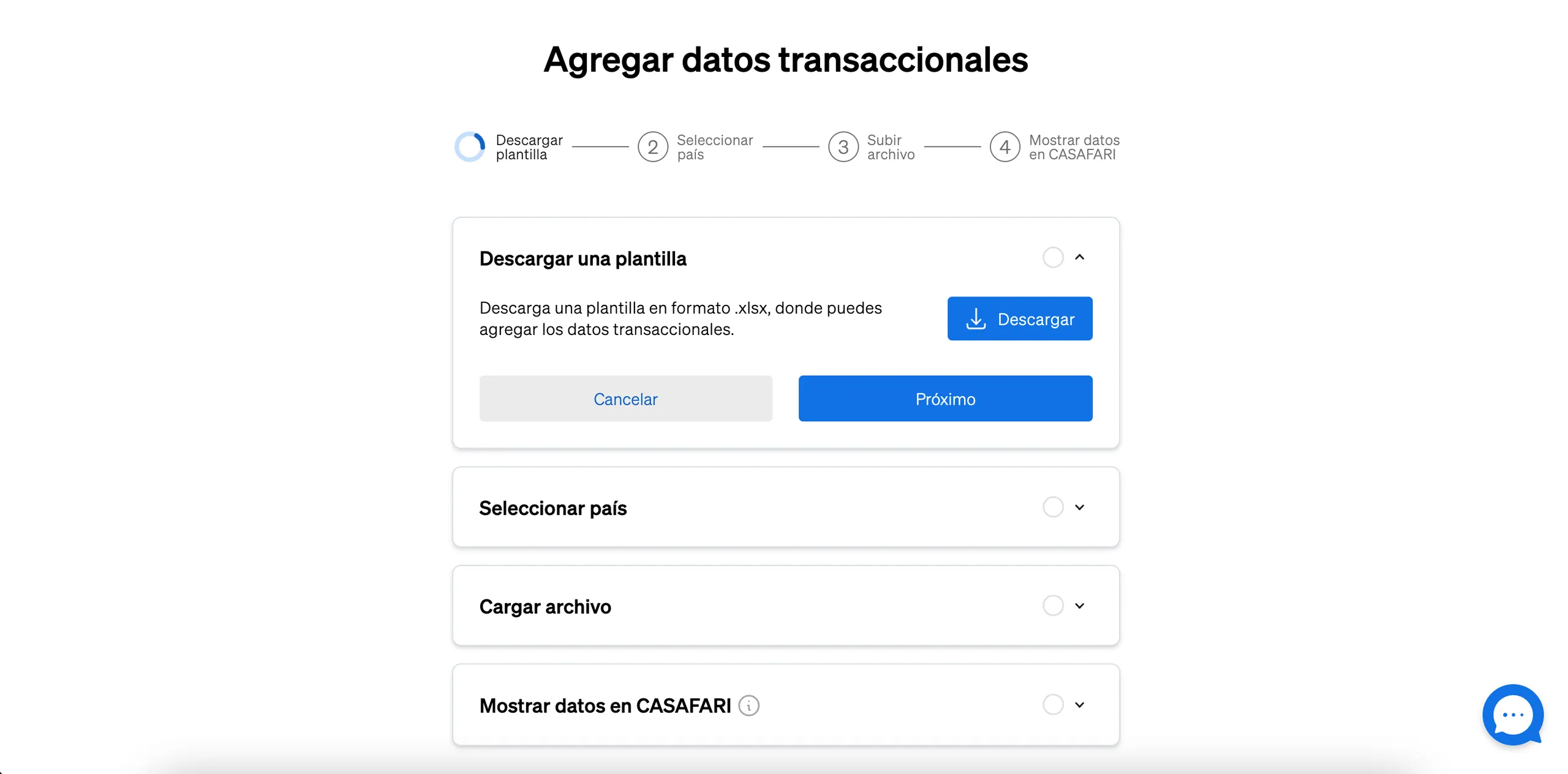
- Download the template to add your property transaction details, then click “Next”;
- Select the country where the transactions took place and press “Next”;
- Upload the file containing the information you wish to add to CASAFARI and press “Next”;
- Wait for our platform to process the document, then select “Upload data to CASAFARI”.
Knowing how essential it is to include transactional data in your valuation report before entering negotiations for a property, take a few minutes to upload details of your latest property transactions and share this market intelligence with your colleagues to close more deals.
Frequently asked questions
What is the difference between asking price and closing price on CASAFARI?
The asking price is the initial figure requested by the seller in the listing indexed by CASAFARI, whereas the closing price or transaction price is the actual amount for which the sale is completed. Comparing both allows you to analyse negotiation margins in a specific area and align client and agent expectations.
Where do the closing prices available on CASAFARI in Spain come from?
In Spain, the closing prices available on CASAFARI originate from official notary records (Notariado) and transaction data provided directly by client agencies at company level.
Who can view the transaction data uploaded by my agency to CASAFARI?
Transaction data uploaded to CASAFARI by an agent remains strictly private. Only professionals belonging to the same company or organisation can view that information within the platform.
How do I add the closing price for an individual property on CASAFARI?
To register an individual transaction, search for the sold property on the platform and open its detailed page. On the right-hand panel, find the “Transaction price” field, click “Add” and enter the closing date and sale amount.
Is it possible to bulk upload data for multiple property transactions?
Yes, bulk uploads can be performed directly from the platform. Simply log in to CASAFARI, select “Personal” in the top right corner, choose “Add transaction data”, download the template, select the country and import the completed file.