
What’s new with CASAFARI CRM: features for better efficiency
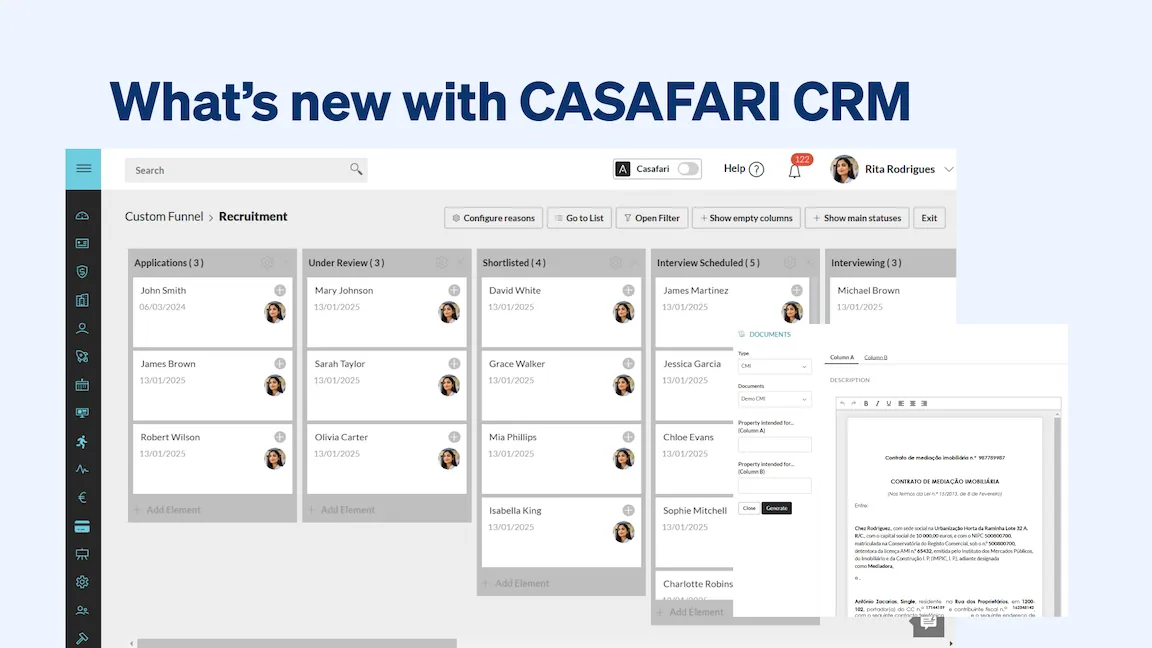
CASAFARI CRM has introduced seven workflow updates to help estate agents simplify daily tasks, optimise operations, and close deals faster. These enhancements include Creditlink for mortgage applications, Photobooking for property photography, editable document templates, the CASAFARI Connect filter for shared deals, one-click property imports via CASAFARI URLs, custom funnels, and an internal training module to support agency growth.
Creditlink: quickly pose mortgage requests for your clients
CASAFARI CRM now offers a powerful credit module designed to help real estate agents provide their clients with seamless mortgage opportunities, while becoming a complete real estate professional.
The process goes like this:
- Clients can easily simulate a home loan by filling out a simple form.
- The submitted data is then automatically organised and displayed within the CRM’s credit module, allowing agents to efficiently manage financing requests.
- In just a few clicks, agents can forward these details directly to their preferred bank managers, initiating the mortgage process on behalf of their clients.
- Once the request is sent, a Creditlink is generated—a dedicated page where the agent and client can communicate, exchange documents, and track the progress of the mortgage application.
This integration simplifies the traditionally complex mortgage application process and ensures that all parties stay informed throughout the process, reducing delays, improving the client experience and transparency.
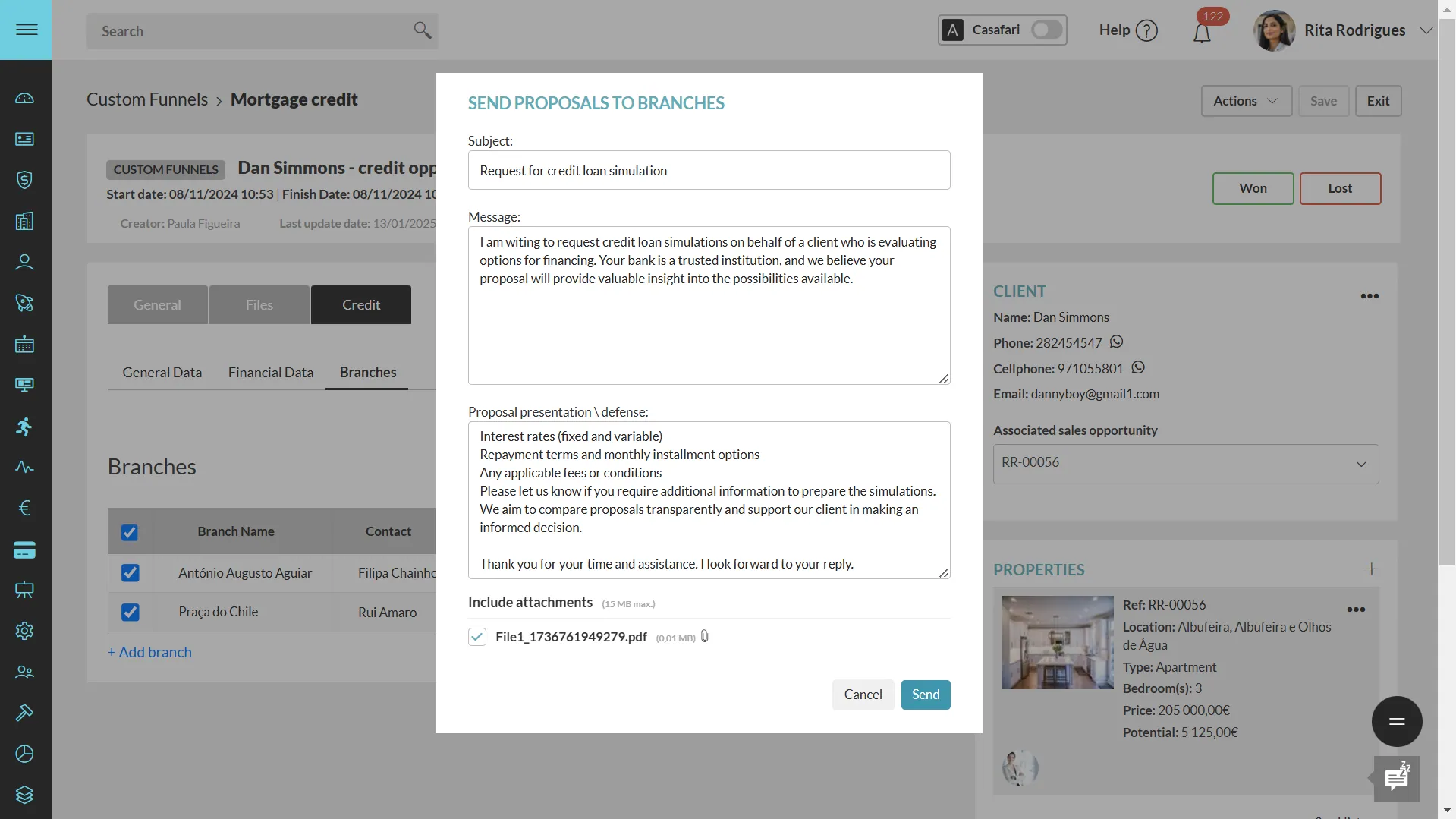
When the mortgage is successfully approved, the lead is marked as won, allowing real estate professionals to complete creating a mortgage application in CASAFARI CRM, keep their client funnel updated and maintain contact with current clients in an easier way.
With CASAFARI CRM’s credit module, agents can provide added value to their services, strengthening client relationships while increasing their chances of securing property transactions.
Photobooking: scheduling and receiving property photos with no effort at all
Professional photos are a key factor in attracting potential buyers, increasing engagement, and ultimately selling properties faster. That is exactly why CASAFARI CRM has partnered with Photobooking to streamline the process of getting high-quality photos of any property on their portfolio without leaving the platform.
How does it work:
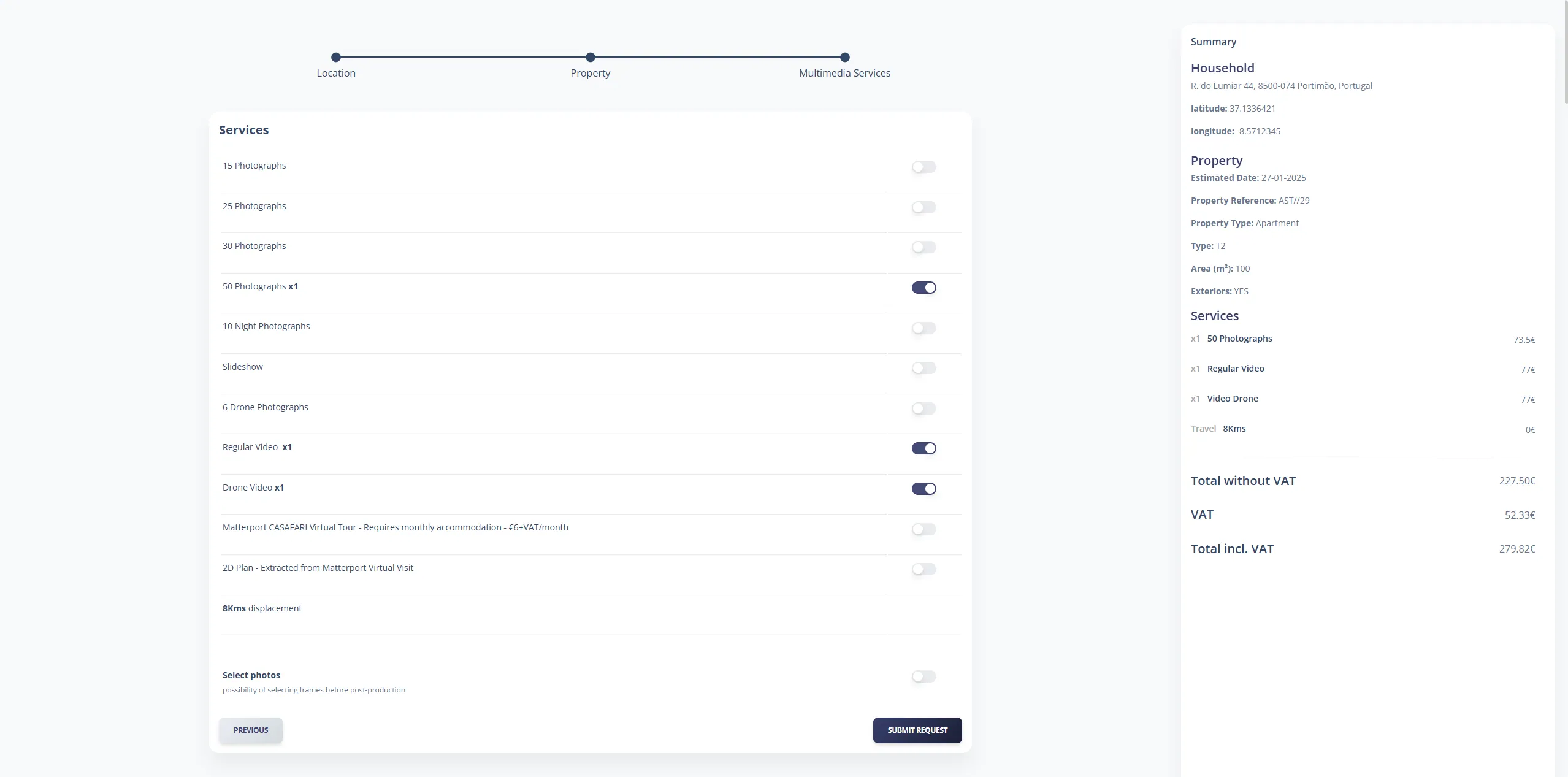
- Agents have full control over their needs, selecting the number of photos, videos, drone images, and additional services required.
- Send the request directly inside your CRM.
- Once the job is done, agents receive a notification with the finalised images.
- With just one click, these high-quality visuals can be instantly added to the property listing and synchronised across all real estate portals where it’s being promoted.
This seamless integration between CASAFARI CRM and Photobooking allows agents to have a hassle-free way to enhance their listings and boost their sales potential.
Templates of documents: more efficient and faster work
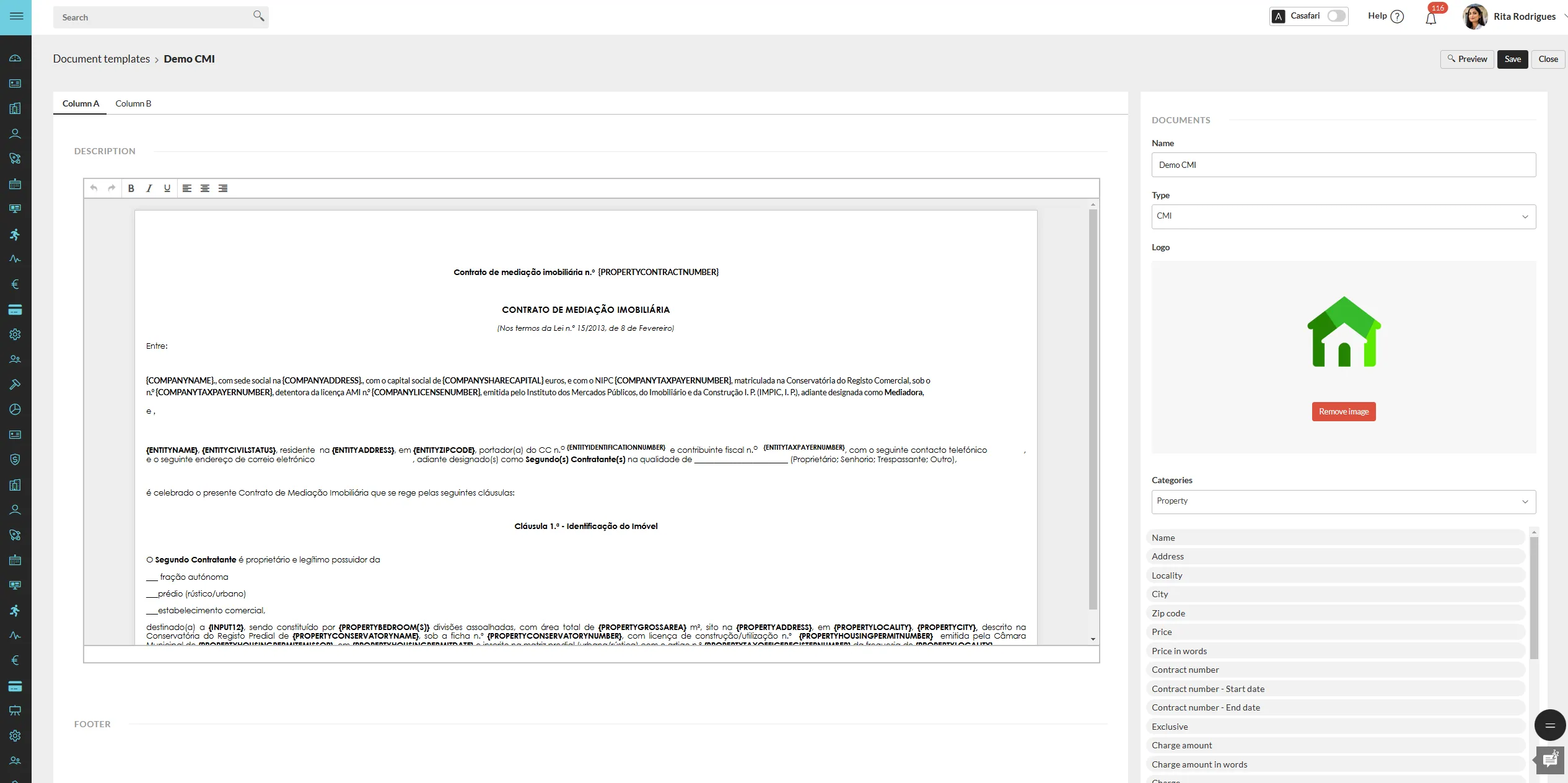
CASAFARI CRM now allows real estate professionals to store and manage commonly used documents directly within the platform. Agents can upload essential files such as purchase and sale agreements, mediation contracts, and other key documents, setting specific fields as editable for future use.
When it’s time to generate a new document, agents can simply customise the necessary details and instantly produce a PDF ready to be shared with clients, partners, or colleagues. This feature ensures that creating new documents is not only faster but also more consistent, reducing manual work and minimising errors.
Connect filter: faster access to shared deals
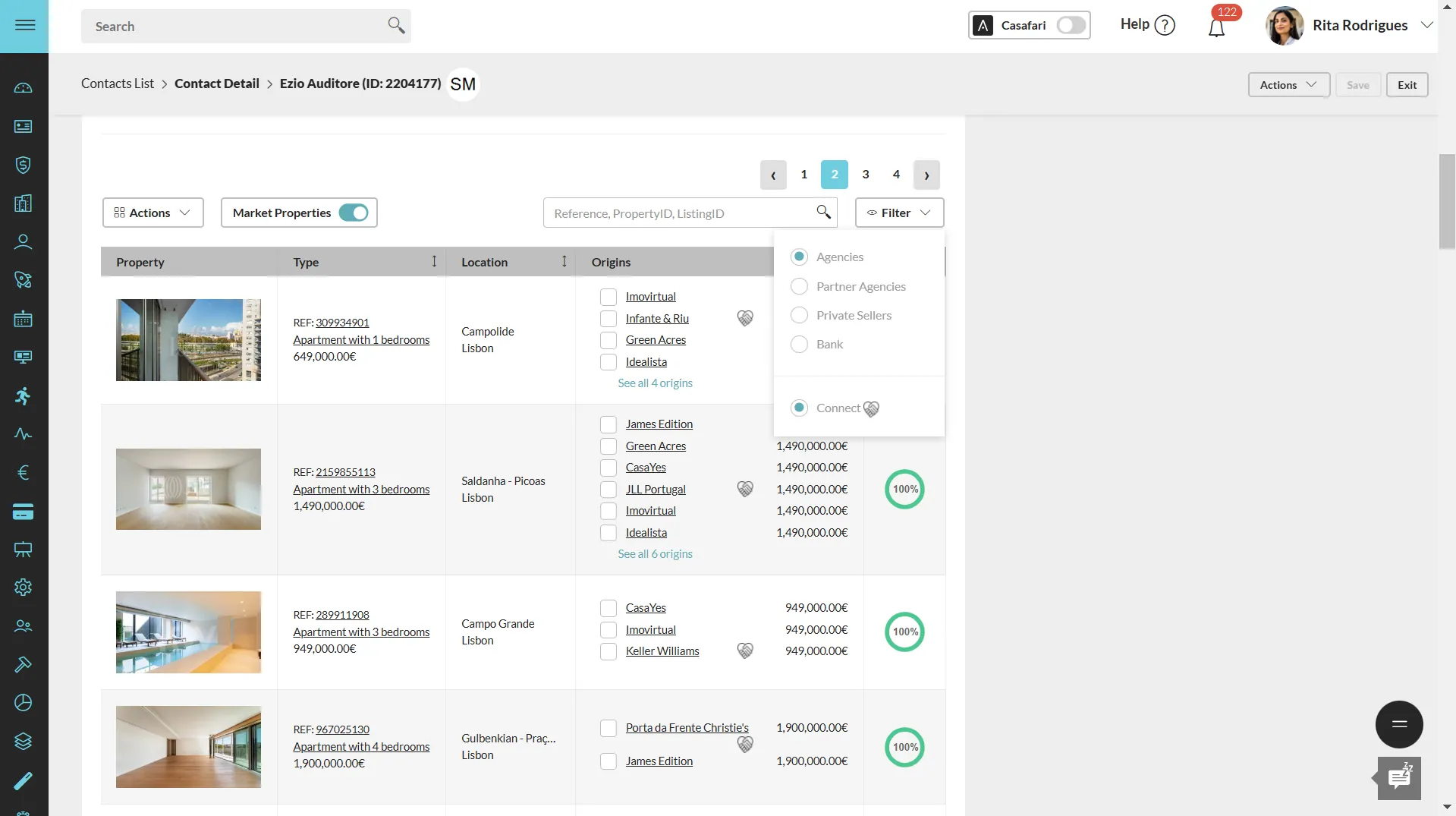
CASAFARI CRM now includes a CASAFARI Connect filter, allowing estate agents to easily find properties available for shared deals. By activating this filter while searching for assets that match their clients’ criteria, agents can easily find properties available for commission sharing and be confident that every property displayed is open to commission sharing.
This eliminates uncertainty in negotiations and streamlines the collaboration process, making it easier to work with other professionals in the market.
Once the ideal properties are selected, agents can add them to a Smartlink and share them directly with clients for review.
Smartlink & Smartmail: automating for better results in less time
Any property chosen from this selection is a guaranteed shared deal, simplifying the transaction process and accelerating sales.
Automatically creating properties on your portfolio
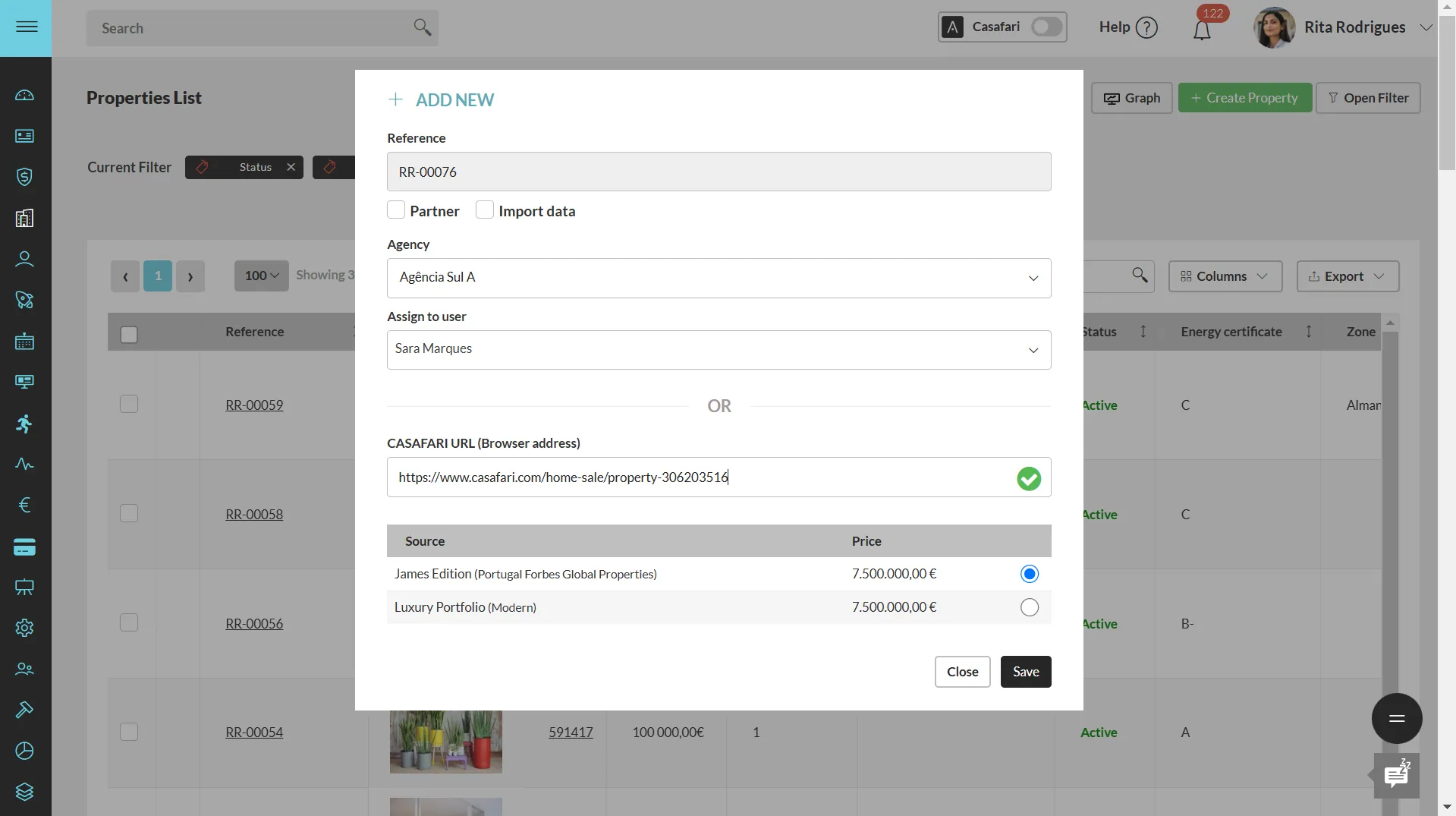
Adding a new property to an estate agent’s portfolio has never been easier with CASAFARI CRM. When an agent secures a new client and needs to add the property to their portfolio inside the CRM, all they have to do is copy the property’s URL within CASAFARI and paste it into a designated field inside the CRM.
Instantly, all relevant data about the asset is imported and organised within the agent’s property funnel, eliminating the need for manual input.
In just seconds, agents have all the details they need gathered in one place, ready to manage and promote the listing efficiently. This seamless process saves valuable time and reduces errors, and allows estate professionals to focus on what really matters—connecting the right buyers with the right properties.
Custom funnels for a tailored experience
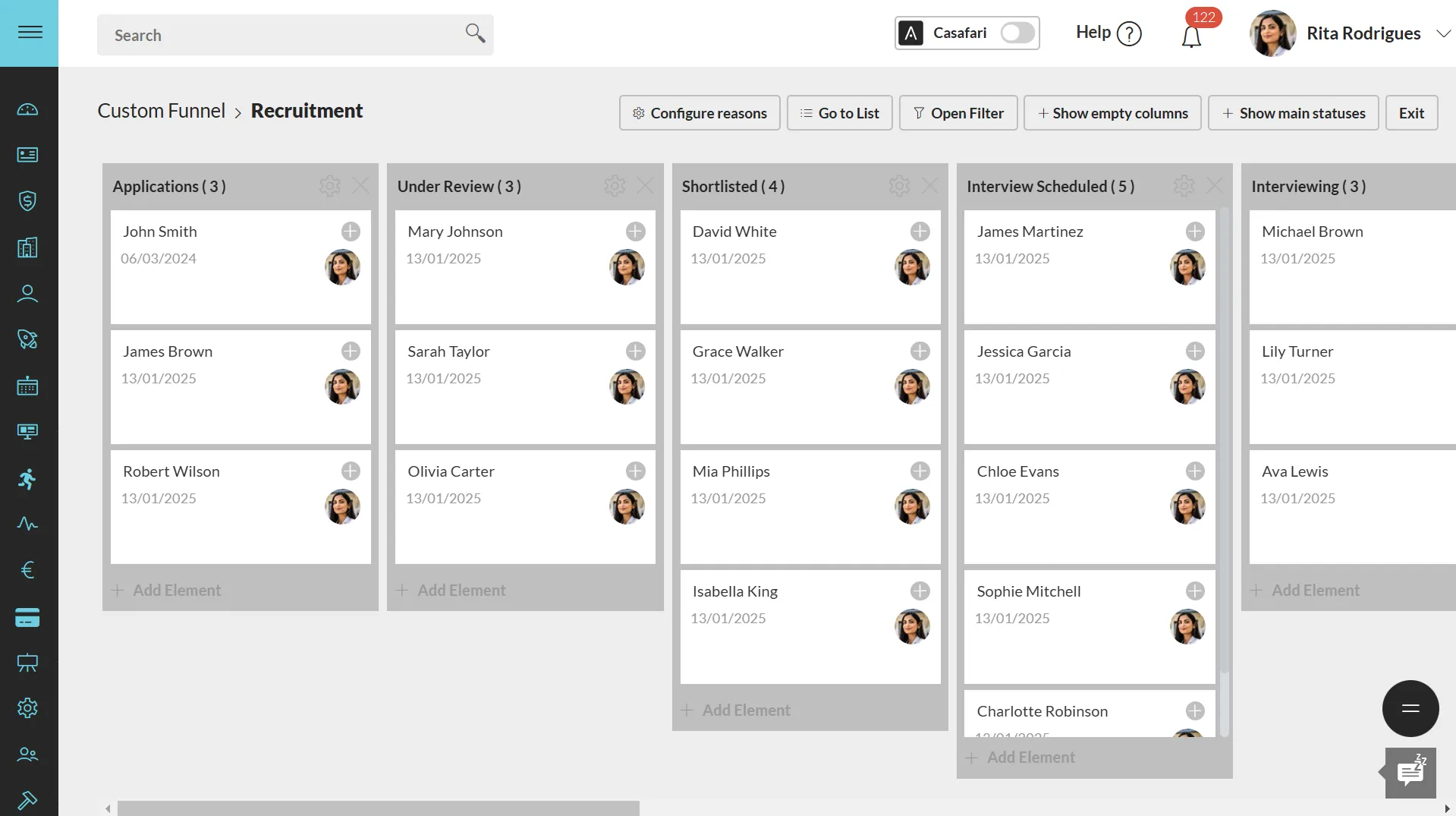
CASAFARI CRM also offers complete customisation of funnels, allowing estate agents to tailor the platform to their agency’s specific needs. Beyond managing leads, clients, and properties, agents can create custom funnels to track a variety of initiatives, such as marketing campaigns, recruitment efforts, or mortgage applications for clients.
By setting up a funnel with a structured flow that aligns with the agency’s processes, professionals can ensure every step is organised and easily monitored. This flexibility helps agencies keep track of multiple activities simultaneously, ensuring no opportunity or initiative is overlooked.
Booking a training session within your agency or franchise
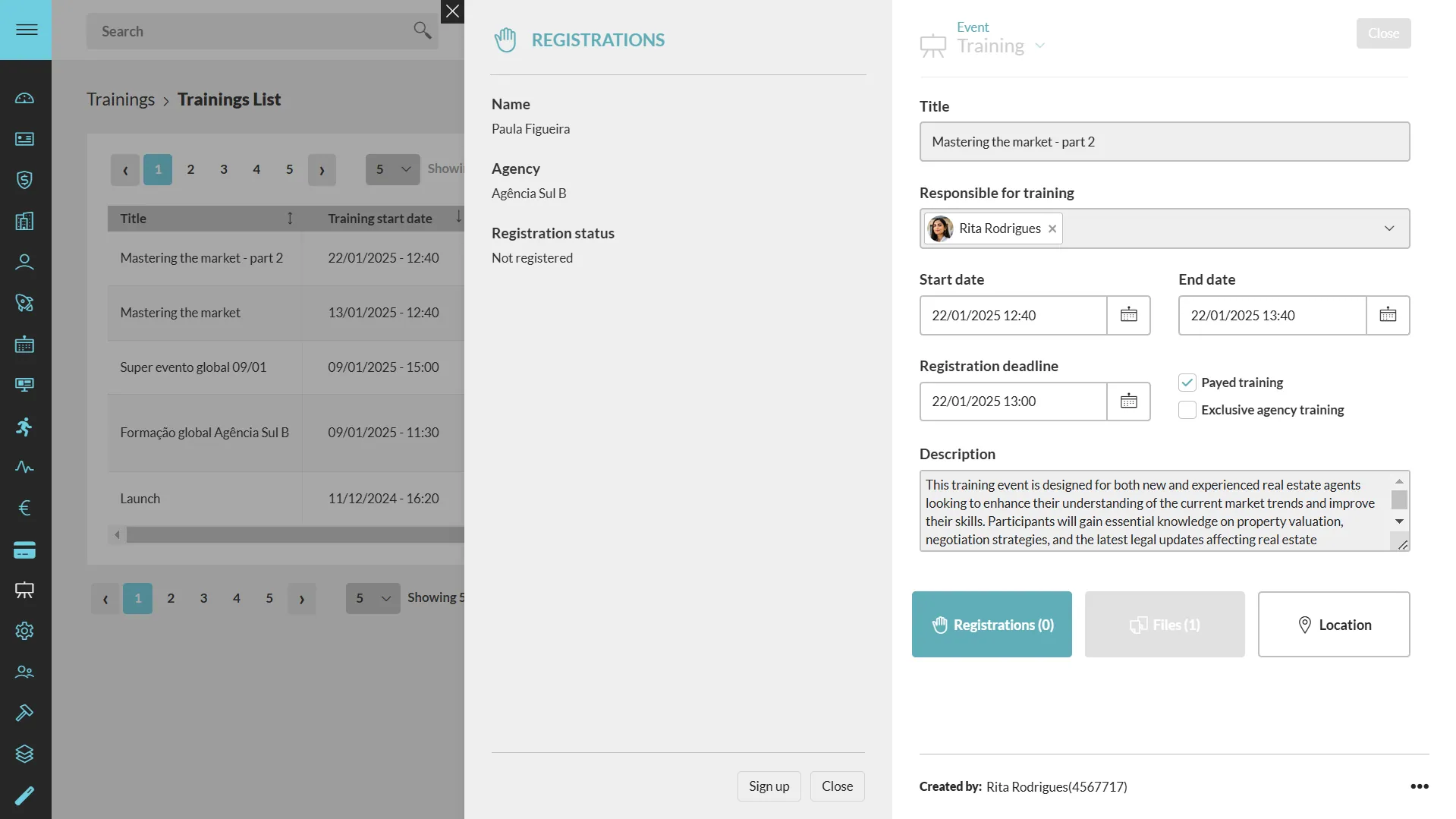
CASAFARI CRM’s training module makes it easy for real estate agencies and franchises to organise and manage professional development sessions. Whether the training is exclusive to a single agency or open to the entire franchise network, this feature allows businesses to streamline the planning and execution of their sessions.
For online training, the system automatically generates a Google Meet link when a session is created (for companies using Google-based emails), ensuring a smooth and hassle-free virtual setup. If the event is held on-site, the organiser can input the address, and a map of the location will be displayed, making it simple for participants to find the venue.
Additionally, to enhance the experience for attendees, CASAFARI CRM allows for the automatic generation of certificates of participation at the end of the session. This makes it easier to recognise and validate professional development efforts within the agency or franchise.
With this feature, real estate businesses can ensure their teams stay well-trained, up to date, and ready to succeed in an increasingly competitive market.
With these features, estate agents can sign in to the CASAFARI platform to streamline daily operations and enhance efficiency. From seamless property management to customised funnels, every update is designed to make agents’ workflows more productive and stress-free.
Frequently asked questions
How does the Creditlink module in CASAFARI CRM help with client mortgage requests?
Clients fill out a loan simulation form, which automatically populates the credit module in CASAFARI CRM. Estate agents can review the data and forward it to bank managers in a few clicks. A dedicated Creditlink page is then generated for the agent and client to exchange documents and track the mortgage application until approval.
How can estate agents book professional property photography inside CASAFARI CRM?
Through the Photobooking integration, agents select the required number of photos, videos, drone shots or extra services and submit the order directly within the CRM. Once delivered, the finalised images can be added to the property listing and synchronised across connected real estate portals with one click.
How does the CASAFARI Connect filter work when searching for shared deals?
Activating the Connect filter during a property search filters the results to display only listings open to commission sharing. Agents can add these verified properties to a Smartlink to share guaranteed shared-deal options directly with their clients.
How do you import a property from CASAFARI into your CASAFARI CRM portfolio?
Agents copy the property’s URL from CASAFARI and paste it into the designated field in CASAFARI CRM. All relevant property details are automatically imported and organised into the agent’s property funnel within seconds, without manual data entry.
What can estate agencies track with custom funnels and the training module in CASAFARI CRM?
Agencies can create custom funnels to monitor recruitment drives, marketing campaigns or mortgage pipelines alongside standard property and lead workflows. The training module allows agencies to organise online or on-site training sessions, generate Google Meet links automatically, and issue participation certificates.