
Real estate app: access CASAFARI’s market data from anywhere
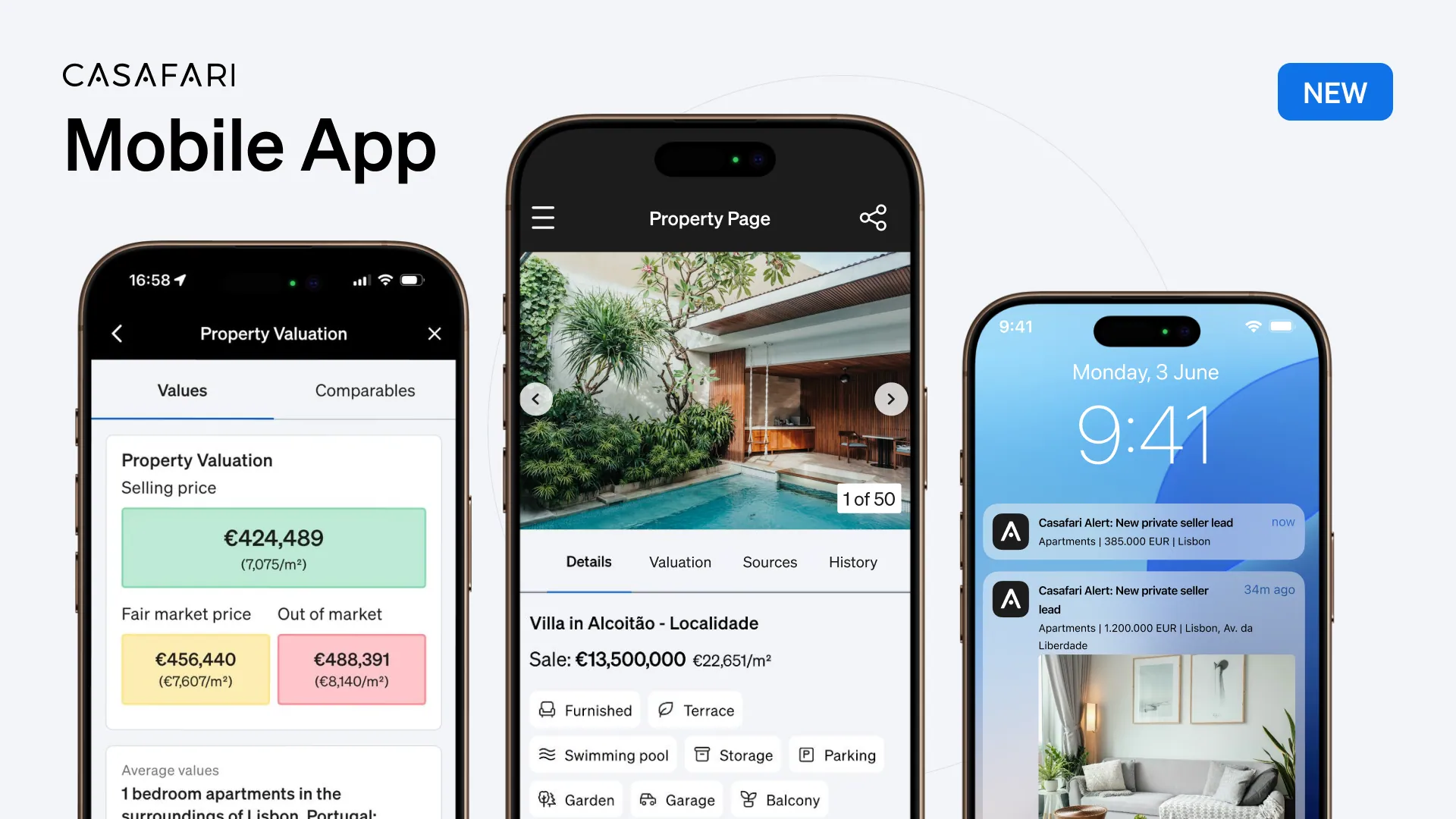
The CASAFARI mobile real estate app, listed as CASAFARI AI on iOS and Android, gives estate agents instant access to CASAFARI’s clean property database across 16 countries. On the go, professionals can use Property Sourcing with over 30 filters, perform rapid Property Valuation using market comparables, receive real-time Alerts for private seller leads, and manage Favourites folders to monitor portfolio changes effortlessly.
How does Property Sourcing work in the CASAFARI real estate app?
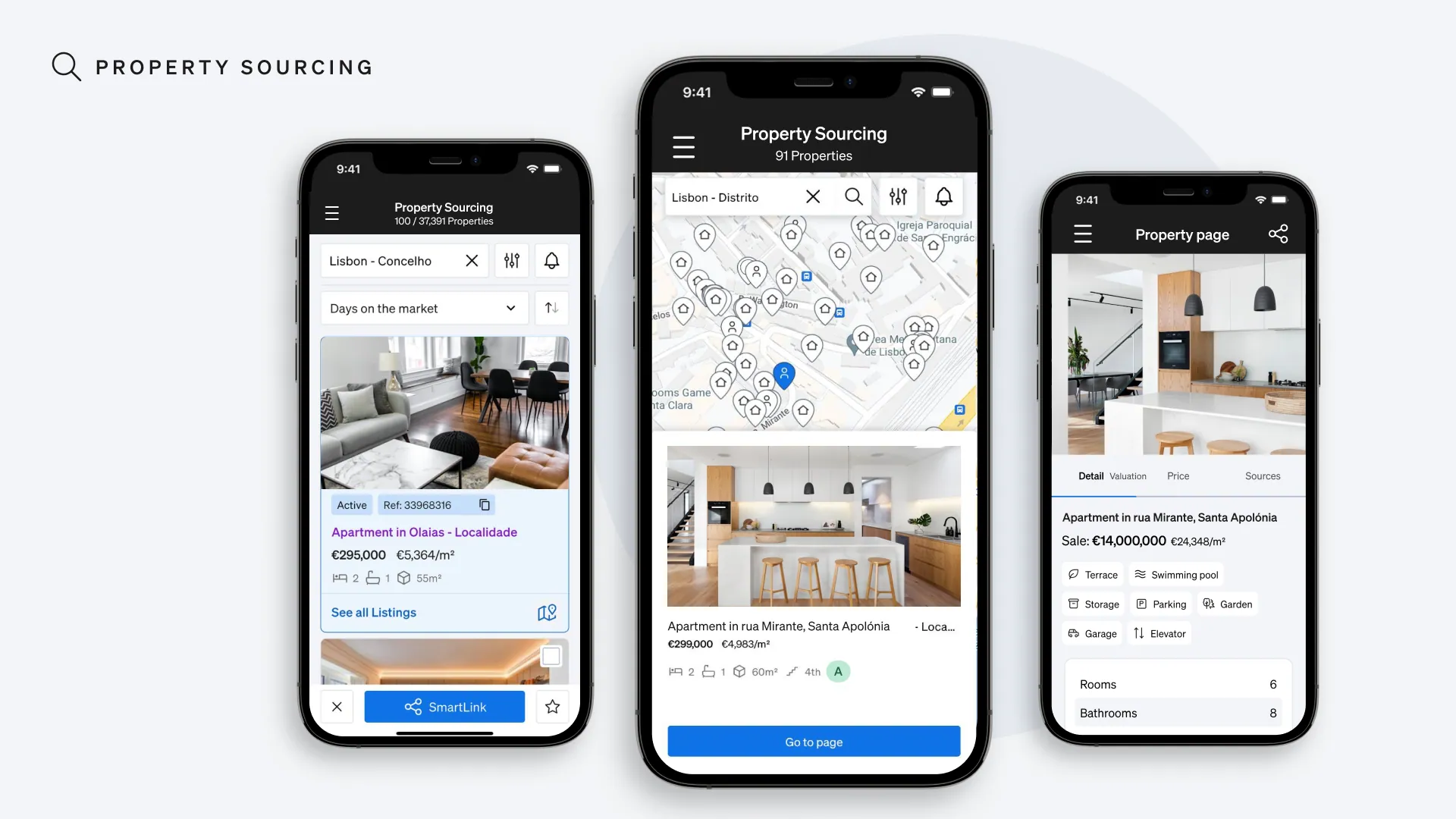
The first good news is: all you can do inside CASAFARI Property Sourcing on your desktop, you will be able to do on the app as well. You also have all the trusted data from CASAFARI, the largest property database across 16 countries globally (CASAFARI is entering the United States now in selected states for commercial real estate only, through Claro AI), in your app, cleaned, organised and ready for you to work with.
Inside the Property Sourcing section, can search for properties using the 30+ filters that CASAFARI provides. The results of your search can be exhibited either on a map or with a listview, whatever is more convenient for you. If any real estate interests you and you’re using the map view, simply click on it to open a preview of it.
Want to see more? You simply need to click on the preview card to open the property page, with all the information that you might need about it:
- Photos;
- All the characteristics of the property;
- Who’s listing it;
- The complete history of the property.
And you can also share all this information. Whether it’s directly through the share icon inside the property page or by selecting multiple properties on the list inside the Property Sourcing section, you can share these pages with a link that can be sent via WhatsApp, any other messaging apps or email.
Or find the app here:

How do you run a property valuation on the go?
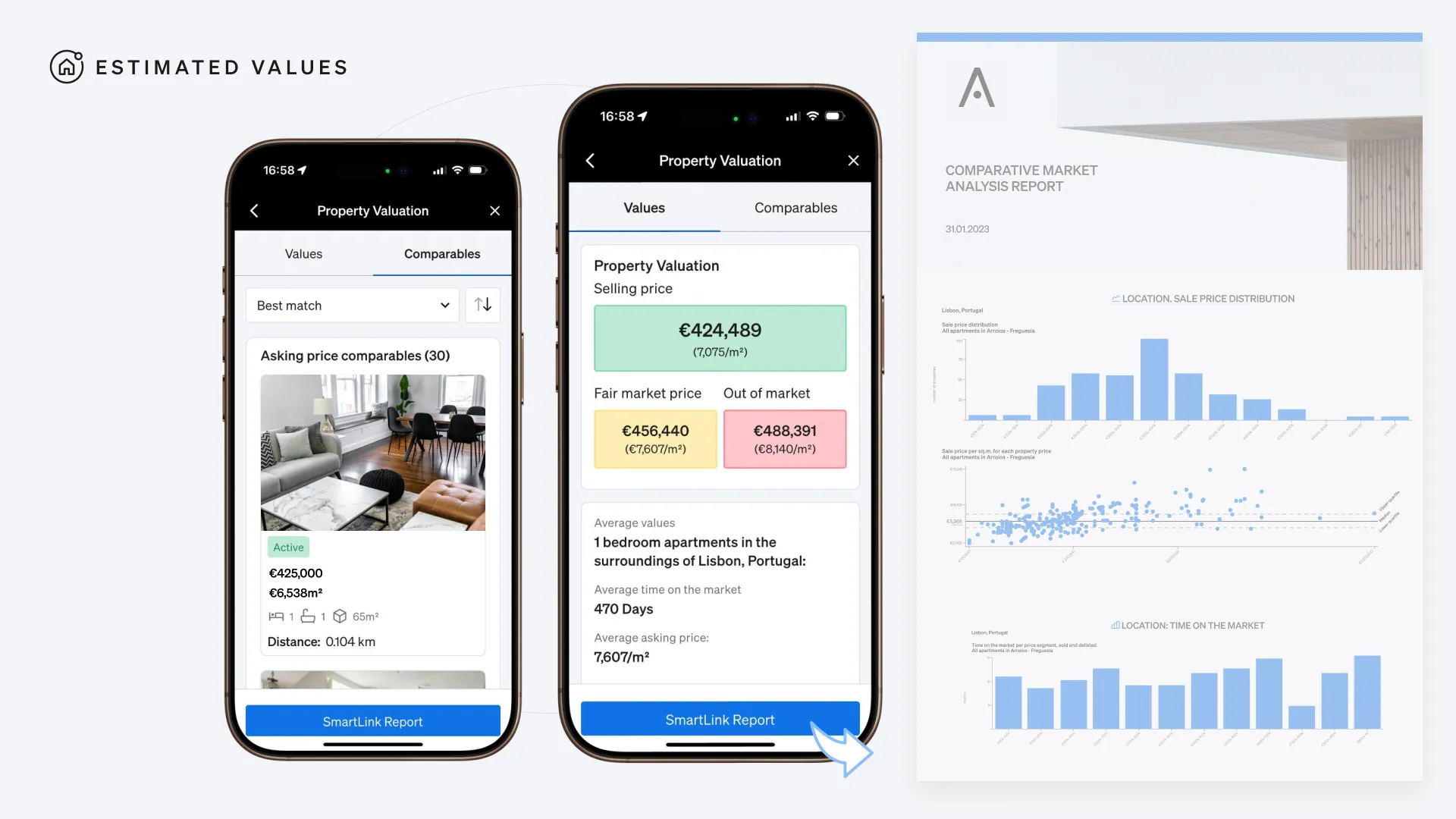
In the Property Valuation section, you are able to type an address to find out for what price a specific property should be put on the market. The next step is selecting the characteristics of the assets you’re looking for, so our real estate app can run an analysis considering solely its closest comparables.
You will be able to see:
- A pricing suggestion;
- How many comparable properties were sold recently;
- How many comparable properties are active on the market;
- Average number of days a property such as yours spends on the market;
- What is the average price asked for a property in this location and with these characteristics.
And, of course, there is the possibility of sharing the suggested price through a link, just like it’s done with the property pages.
All this valuation process was made faster and simpler, for a better on-the-go experience.
How do mobile Alerts help capture private seller leads?
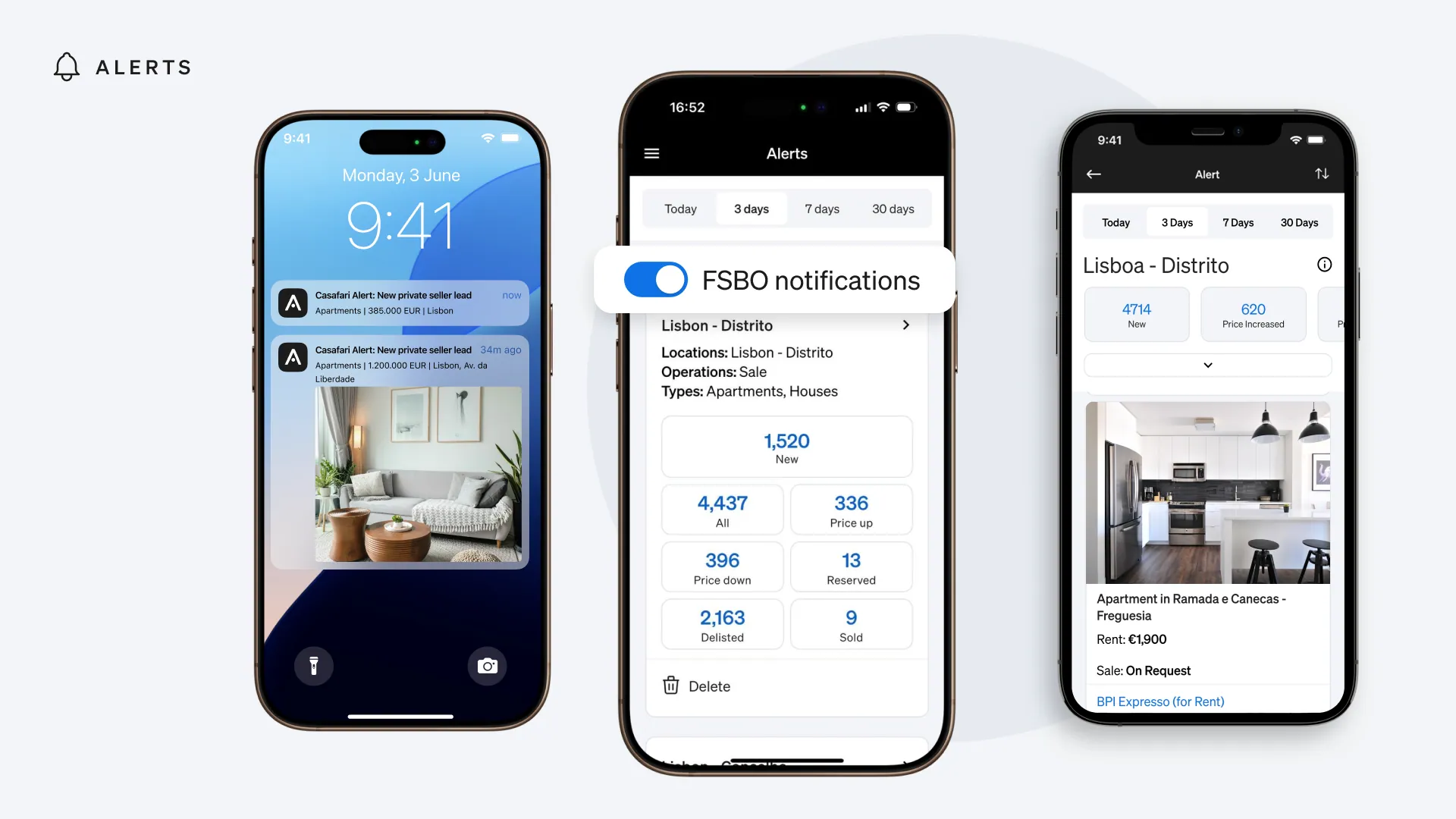
With the Alerts functionality, you will get notifications straight on your mobile phone whenever a new property for sale by the owner is available on the market.
The Alerts are helpful to help you grow your portfolio, speeding up the lead generation and allowing you to get to the buying or selling of the property faster.
And you get all this information by resorting solely to your mobile phone.
How do Favourites folders track property changes in real time?
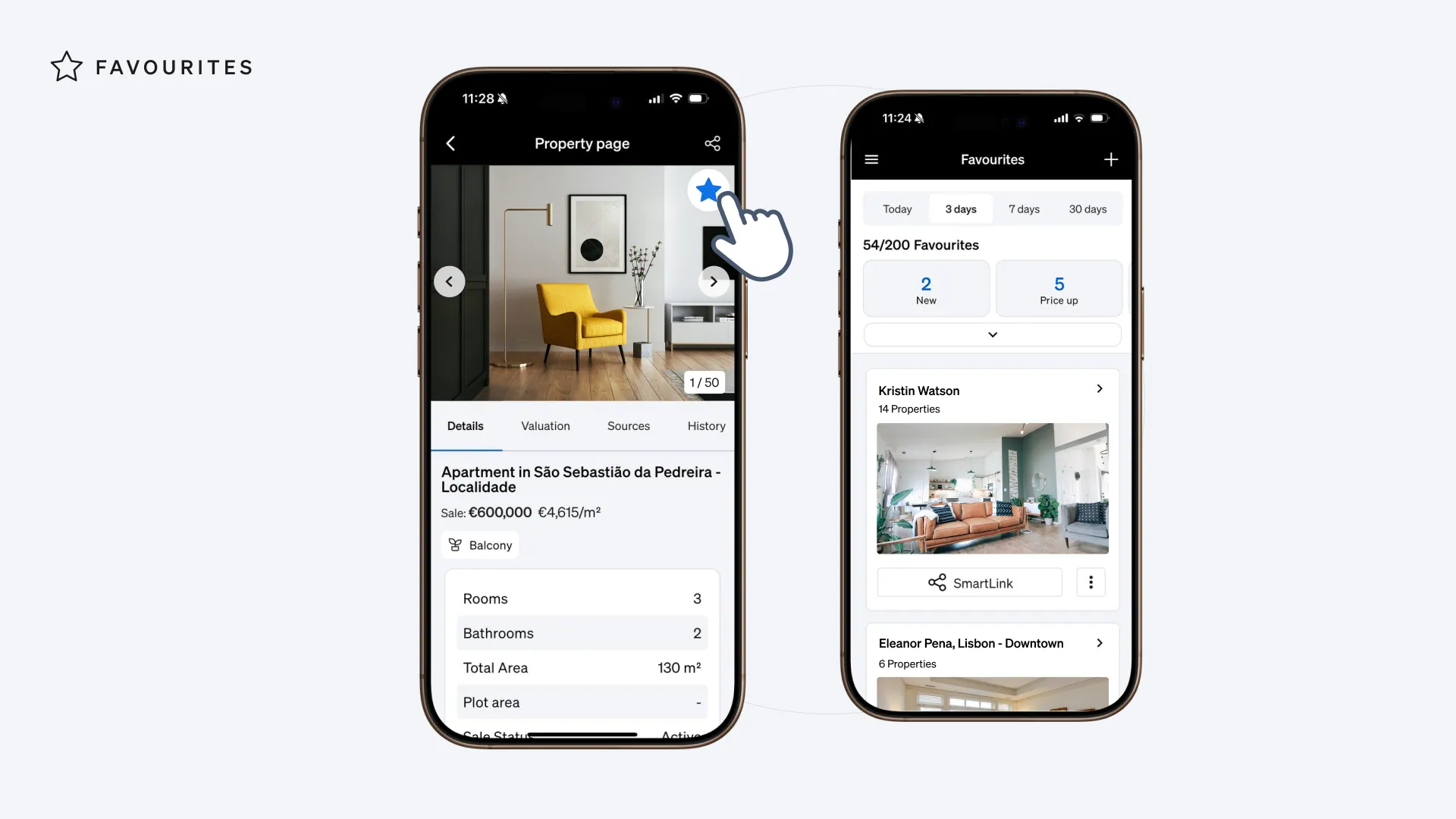
Whether you are using Favourites folders to monitor the market or to save properties that match your clients’ criteria, you’ll never miss a market movement again. You’ll always be ahead of the competition by tracking in real-time market updates on properties of your interest.
Has the price of a property that interests your client dropped?
Is an interesting property to a client back to the market?
You’ll never be caught off guard.
As with all CASAFARI products, our real estate app is in continuous development to bring you more useful and innovative features.
Or find the app here:

Like every CASAFARI product, the application is in continuous development; the complete feature set, available plans and supported mobile platforms are detailed on the CASAFARI Real Estate App product page. In app stores, the application is listed under the name CASAFARI AI.
Frequently asked questions
Where can I download the CASAFARI mobile app?
The app is available for Android on Google Play and for iOS on the Apple App Store under the name CASAFARI AI. Existing users can simply sign in to the CASAFARI platform using their current credentials. For setup instructions, learn how to install the CASAFARI mobile app.
How many search filters are available in Property Sourcing on the mobile app?
Property Sourcing in the mobile app offers more than 30 filters to narrow down search criteria. Real estate professionals can view results on an interactive map or as a list view. Every listing provides full access to property photos, key characteristics, active agency listings, and complete property history.
Can I share property pages and valuations with clients from my phone?
Yes, agents can share individual property pages or multiple selected listings directly from the app. Suggested valuation prices can also be shared via direct links. These links can be sent instantly over WhatsApp, email, or any messaging app.
What information does a mobile property valuation include?
After entering an address and selecting key characteristics, the app analyses nearby comparable properties to generate a pricing suggestion. It details how many comparable assets were sold recently and how many are currently active. Additionally, agents can see average days on market and average asking prices for comparable properties in that location.
How do Alerts and Favourites work in the CASAFARI app?
Alerts deliver mobile push notifications whenever a new property for sale by owner enters the market, giving agents instant private seller leads. Favourites folders track saved properties in real time, alerting agents to price reductions or relistings immediately.