
5 updates of CASAFARI’s Property Sourcing
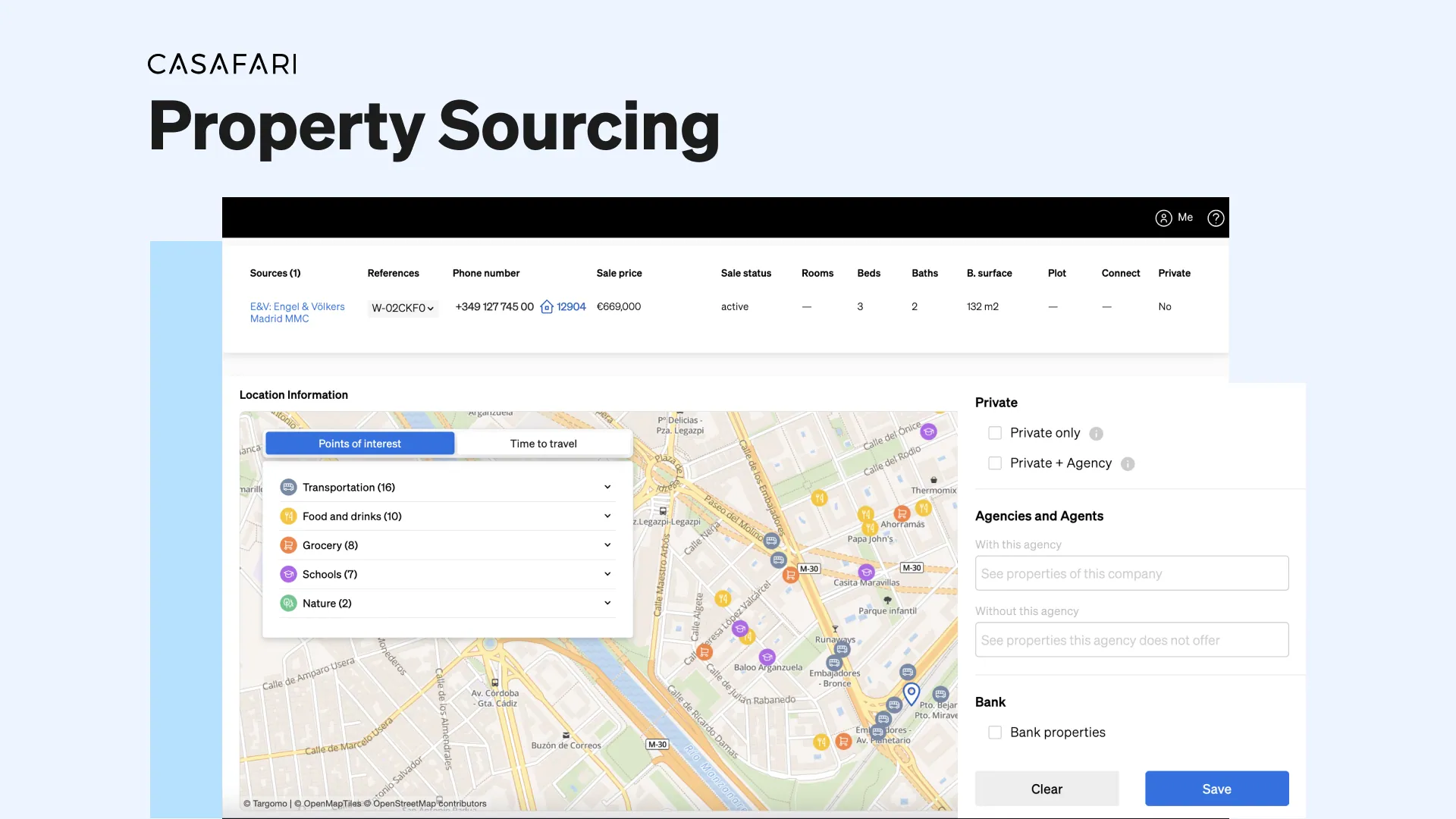
Recent updates to CASAFARI’s Property Sourcing tool introduce five key features: filtering listings by seller type (private owners, estate agencies or banks), generating AI-powered property descriptions for PDFs and Smartlinks, messaging listing agents directly via WhatsApp, viewing all properties listed under the same phone number, and calculating travel times to nearby points of interest.
Access to comprehensive real estate data empowers informed decision-making by offering insights into market trends, property values, and buyer behaviour. These updates enhance everyday real estate workflows, making property search more efficient and improving how agents present listings to prospective buyers.
Easily decide from whom you want to see properties
As you might already know, there are three types of properties within CASAFARI, when it comes to who’s listing them: those for sale by their owner, those being promoted by agencies and those that are part of the portfolio of a bank. All three types are valuable for the estate agent for different reasons.
Approaching private sellers presents a valuable opportunity for estate agents to diversify and expand their portfolio. Private sellers often bring unique properties to the market that might not be available through traditional listings, which allows agents to access exclusive listings, offering a competitive edge.
Access to agent-listed properties grants professionals firsthand knowledge of available properties, facilitating the matching of client needs with suitable options efficiently. Simultaneously, it provides an invaluable opportunity to assess competitors’ portfolios, enabling agents to refine their own offerings, identify unique selling points, and strategise more effectively to stand out in a competitive market.
How to monitor competitors in real estate with CASAFARI
As per bank-owned properties, staying in touch with local bank representatives, attending foreclosure auctions and closely monitoring specialist distressed property listings are key strategies for finding unmissable opportunities for your clients.
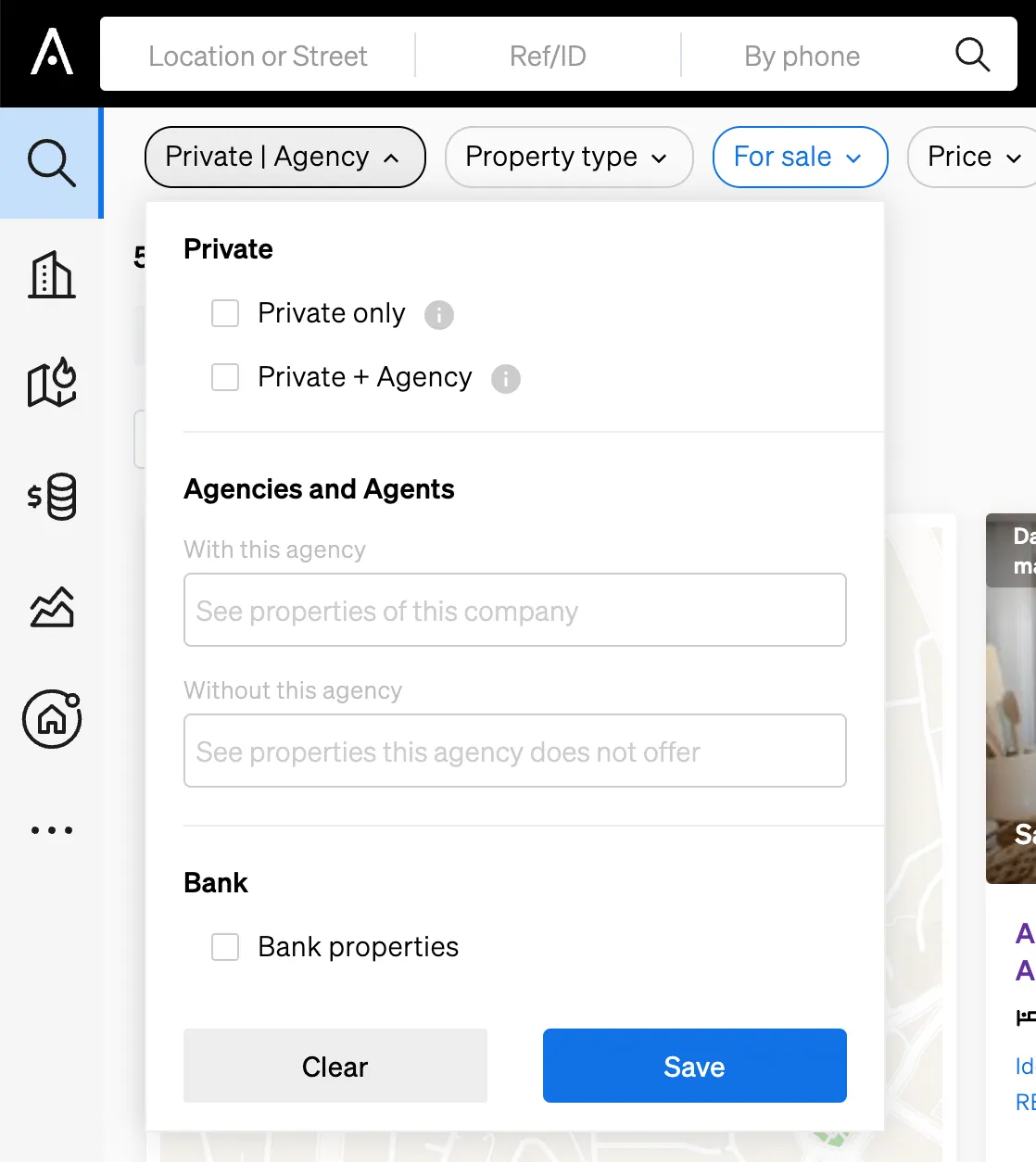
Inside CASAFARI’s Property Sourcing you can easily define which of them you want to see on a search: you need only to select your preferences on a button that’s located on the top left corner. This will instantly tailor your search and show only results that answer your questions.
Automatically create a description for the property
A captivating property description is the key to unlocking a potential buyer or tenant’s imagination and interest. It serves as the first impression that entices individuals to explore further.
A well-crafted description not only outlines the physical attributes of a property but also paints a vivid picture of the lifestyle it offers. It’s the bridge between the bricks-and-mortar reality and the dream home someone envisions. It sets the stage for emotional connections, sparking curiosity and prompting potential buyers to take the next step toward viewing the property.
Now, every time you wish to show a property that you found on our Property Sourcing to a potential buyer, whether through a PDF or a Smartlink, you can easily add a powerful description. With a single click of a button and based on all the information our database has about the property, CASAFARI provides an enticing AI-generated description that will have your client booking visits in no time.

Send a message to the listing agent right away
In real estate, seizing opportunities swiftly is crucial for agents with buying clients. The market moves fast, and the best deals vanish quickly. Acting promptly means securing coveted properties before competitors, showcasing dedication to client needs.
In this sense, communication plays an important role: the faster you can reach the selling agent, the sooner you can book a visit and seal the deal, ensuring a favourable deal.
Which is why now you can find a button inside our Property Page that leads you straight to the WhatsApp of the listing agent, when available. This feature allows swift communication between the selling and buying parts, which is in line with the speed that such a competitive market requires of an agent.
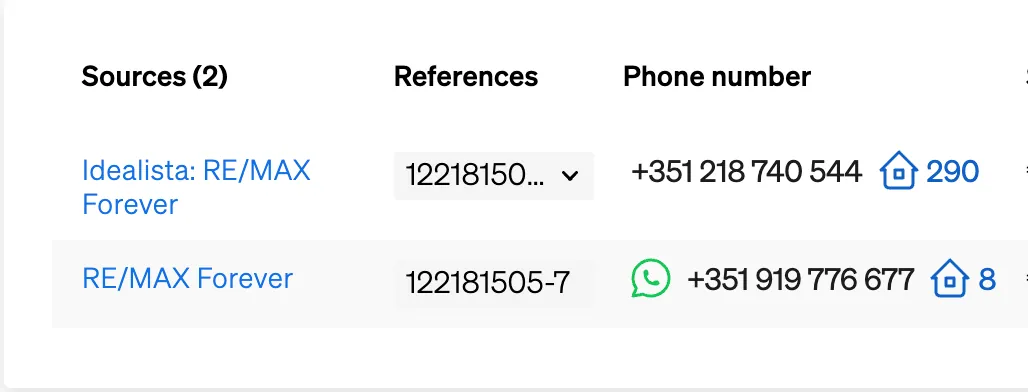
See all properties listed under the same phone number
Having access to all listings under a single phone number grants estate agents a strategic advantage in identifying genuine private sellers, those with singular listings. By targeting these individuals, agents expand their portfolio, tapping into exclusive listings and fostering relationships based on trust and personalised service.
Meanwhile, being able to access another estate agent’s entire property portfolio facilitates collaboration within the real estate community, fostering potential partnerships. Agents can look at all the listings of an agency or agent that’s a local expert to find more opportunities for a buyer client, for example.
Moreover, understanding the scope and diversity of another agent’s portfolio aids in benchmarking against competitors, refining marketing strategies, and identifying unique selling propositions to stand out in the market.
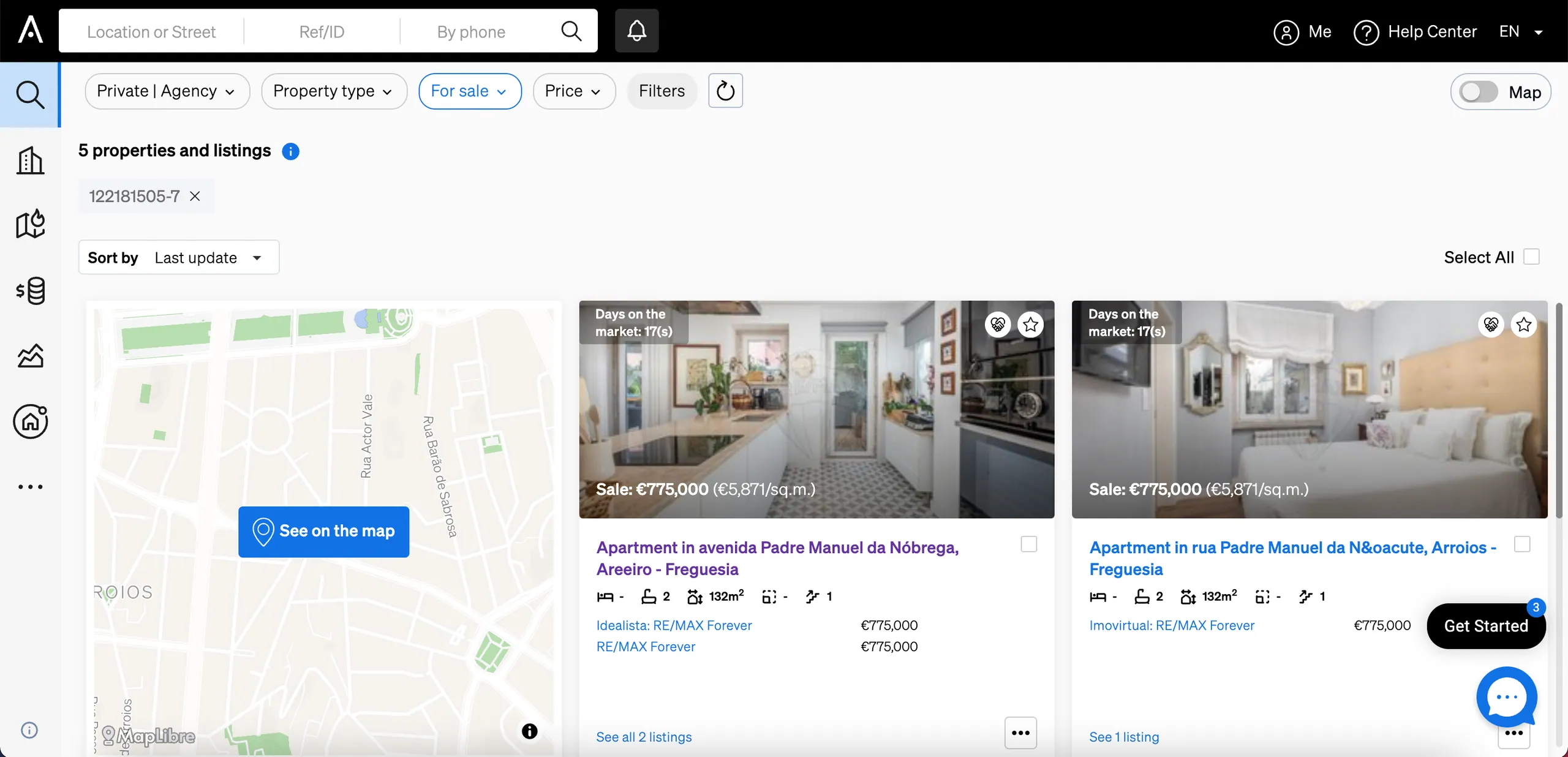
In order to find this information within CASAFARI, you need only to access a Property Page. Beside the phone number of the listing agent, you will find the icon of a house, in which you can click to see more or all listings under the same number.
You can also search for a phone on the search bar of our Property Sourcing to see all properties listed under that number.
Calculate the travel time to businesses of interest
The amenities and businesses surrounding a property play an integral role in shaping the desirability and value of a potential purchase. Beyond the physical attributes of a property, these nearby features contribute significantly to the lifestyle and convenience it offers.
Access to quality schools, shopping centres, dining options, recreational facilities, and essential services enhances the overall appeal of a property. Buyers are not just investing in a house; they’re investing in a lifestyle. Proximity to these amenities adds a layer of convenience and comfort, making daily life more manageable and enjoyable.
Consequently, emphasising these attractions in property listings helps buyers envision themselves not just in a home but in a neighbourhood that fulfils their diverse needs and preferences.
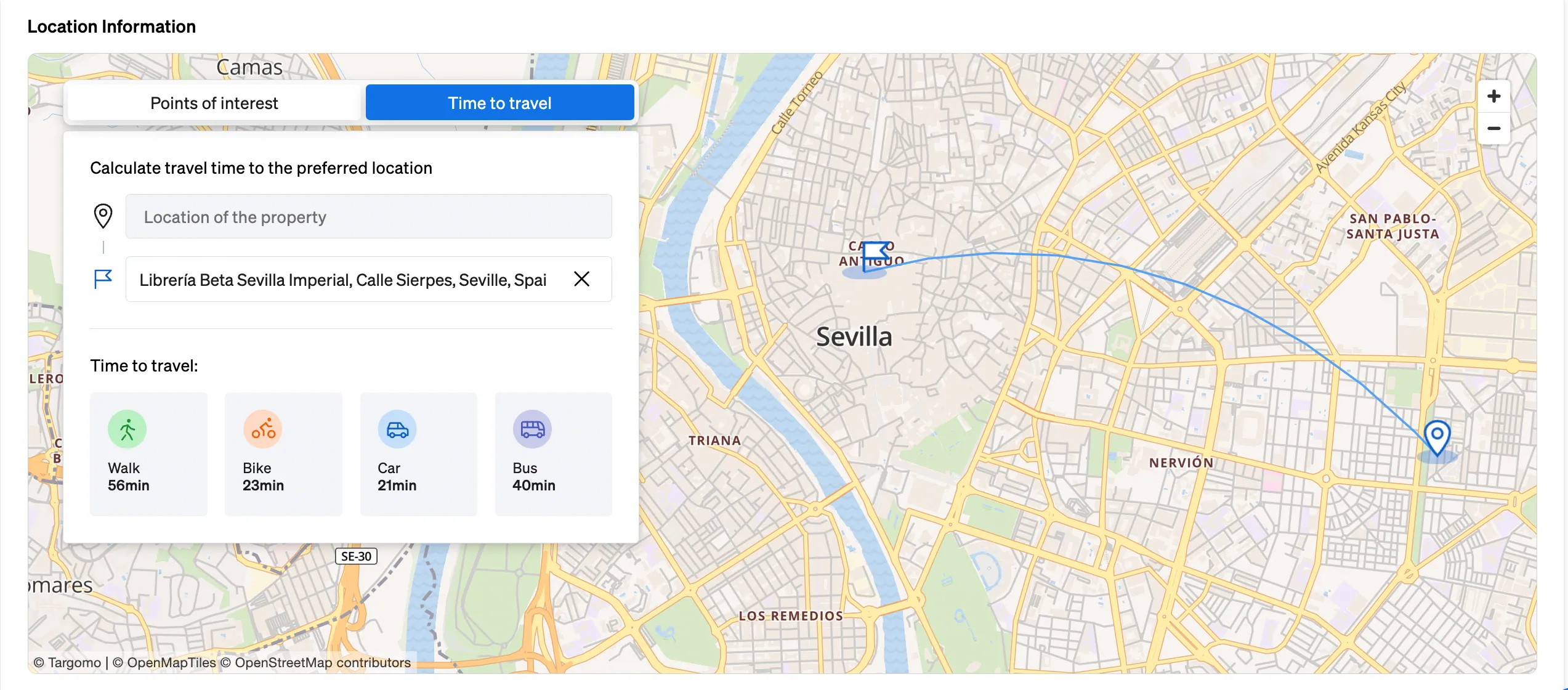
On our Property Page, estate agents could already see interesting amenities close by, right? But here’s what’s new: you can also calculate the travel time to relevant places to your client, for example, their workplace or their child’s school. This is helpful to show how convenient the chosen property is and help them envision a life in that place.
Experience right now these novelties and all the other benefits of accessing the largest real estate database globally. CASAFARI is also entering the United States in selected states for commercial real estate only, through Claro AI.
Frequently asked questions
How can I filter listings by seller type in CASAFARI’s Property Sourcing?
Use the selector in the top-left corner of Property Sourcing to filter search results by private sellers (for sale by owner), estate agencies or bank-owned portfolios. This enables agents to quickly target exclusive owner listings or agency listings depending on client needs. Developers seeking programmatic integration can refer to the Property Sourcing API documentation.
How does CASAFARI generate property descriptions automatically?
When sharing a property found in Property Sourcing via a PDF or a Smartlink, a single click generates an AI-written description based on the property details stored in CASAFARI’s database. This automatically crafted text highlights key property features and lifestyle appeal to save time when presenting options to prospective buyers.
Can I contact the listing agent directly from a CASAFARI Property Page?
Yes, when a listing agent’s number is available, a button on the Property Page opens a direct WhatsApp conversation with the agent so you can arrange viewings quickly. This feature streamlines direct communication between buying and selling agents during fast-moving deals.
How do I see all properties listed under the same phone number in CASAFARI?
Click the house icon next to the phone number on a Property Page, or type the phone number directly into the Property Sourcing search bar to view every listing associated with that contact. This makes it straightforward to identify genuine private sellers with single listings or to analyze another agency’s full portfolio.
Can CASAFARI calculate travel times from a property to a client’s workplace or school?
Yes, in addition to displaying nearby amenities on the Property Page, you can calculate the travel time from the property to specific places of interest such as a client’s workplace or children’s school. This allows agents to demonstrate daily convenience and help clients evaluate how suitable a home is for their routine.