
How do I find properties for sale by owner?
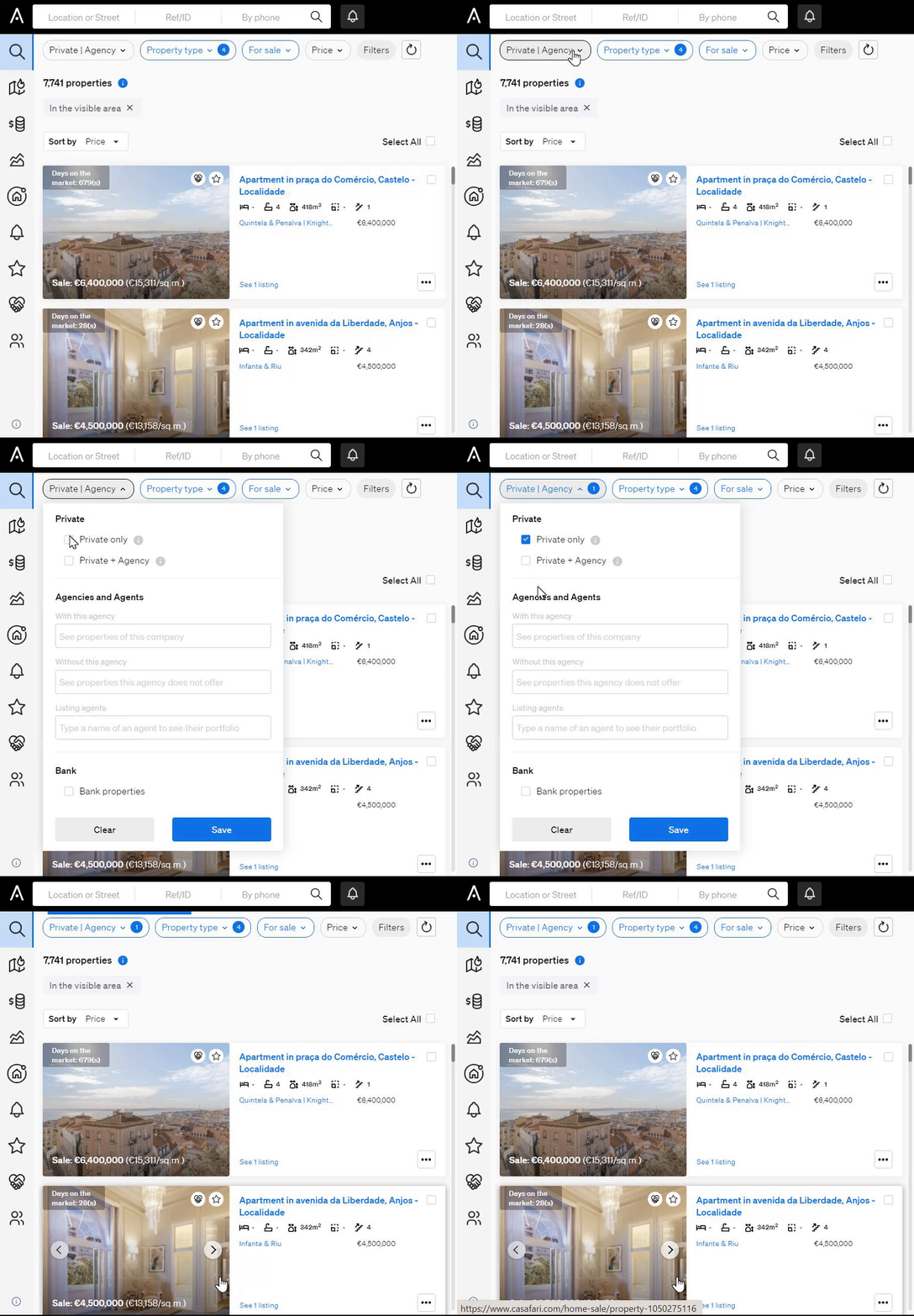
Go to the Property Search page in CASAFARI, enter your location, open the PRIVATE/ AGENCY filter and select Private Listings to see properties advertised only by their owners. Select Private + Agency or Ex-Private + Agency to see private listings that agencies later took on.
For Sale by Owner (FSBO) listings are published directly by property owners, without an agency. CASAFARI calls them private listings.
Search for FSBO listings
- Log in to your CASAFARI account at https://www.casafari.com/login.
- Go to the Property Search page.
- Type the location you want into the main search bar.
- In the Filters panel, open the PRIVATE/ AGENCY filter.
- Select one of the options described below.
- Add other filters, such as price or typology, if you need them.
| Option | What it shows |
|---|---|
| Private Listings | Listings published only by the property owner |
| Private + Agency | Listings that started as private and were later picked up by an agency |
| Ex-Private + Agency | Listings that were first private but are now published only by an agency |
Why track FSBO listings
- Find properties others miss: private listings may not appear on large agency platforms.
- Follow how a listing changes: see when a property moves from private to agency-managed.
- Find leads early: contact owners directly before an agency is involved.
- Negotiate directly: talk to the seller without an intermediary.
Tips
- Set up Alerts to be notified when new FSBO listings appear in your target area.
- Use SmartLinks to share your FSBO searches with potential buyers.
- Check the timeline history of a property to see how long it stayed private before an agency took it on.
Need help? Email support@casafari.com or go to Help Center > Contact Us in the platform.
Last updated: