
How do I change the frequency of my email alerts?
Open your Alerts page from the bell icon in the left-hand vertical menu. Click Email notification frequency in the top right-hand corner and choose immediately, daily, never or weekly. Your choice saves automatically and applies to all your alerts.
- Log in to your CASAFARI account at https://www.casafari.com/login.
- Click the bell icon in the vertical menu on the left, or click the alert tool in the main menu. Your Alerts page opens (https://www.casafari.com/account/alerts) and lists all your saved alerts.
- In the top right-hand corner of the Alerts page, click Email notification frequency.
- Select the frequency that suits you: immediately, daily, never or weekly.
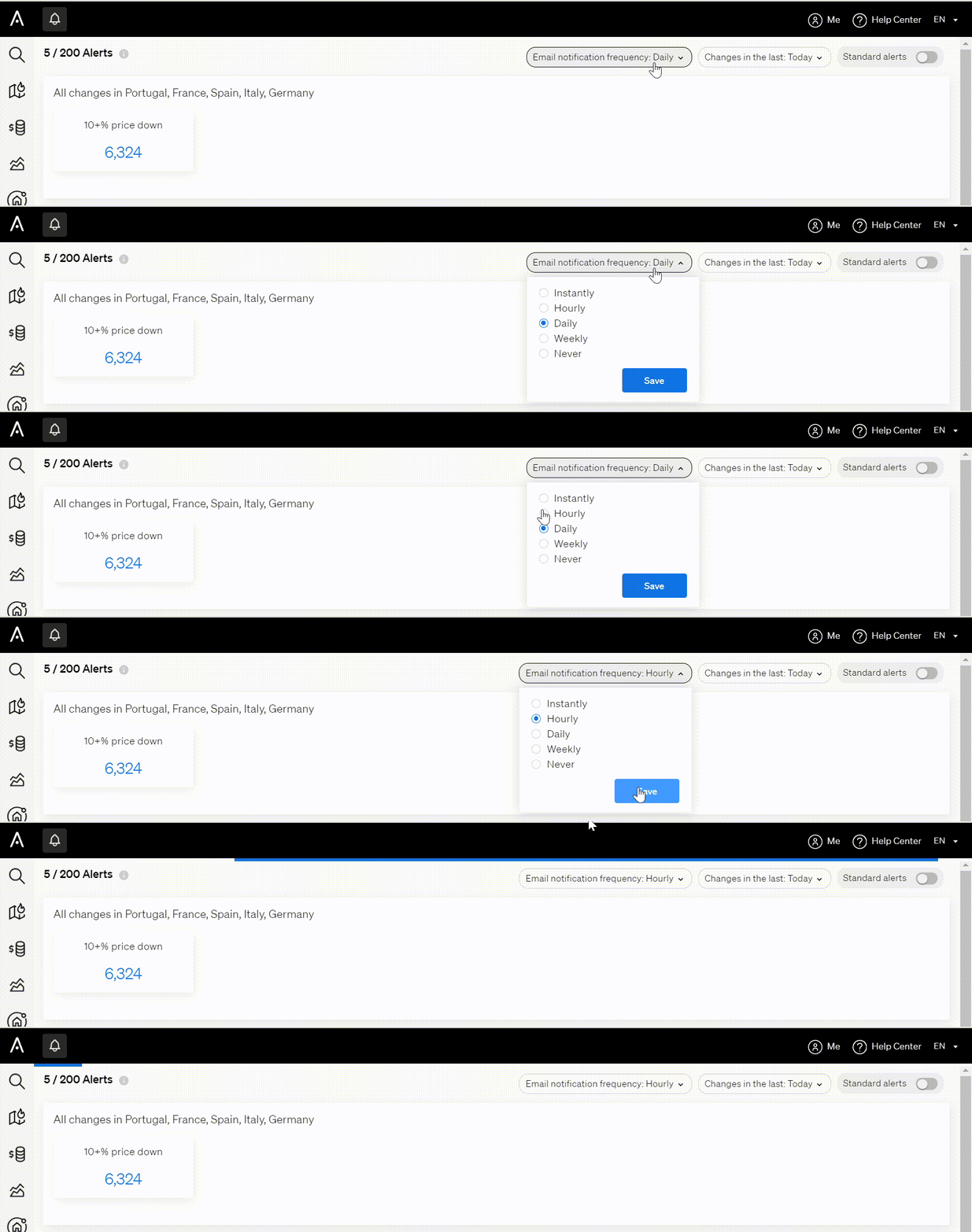
Your selection is saved automatically.
Good to know
- The frequency applies to all your alerts at once.
- You can change the setting at any time, depending on how often you want to be notified about new listings.
- If you need help managing your email alerts, contact support@casafari.com or go to Help Center > Contact Us inside the platform.
Last updated: