
How do I draw a custom boundary on the map?
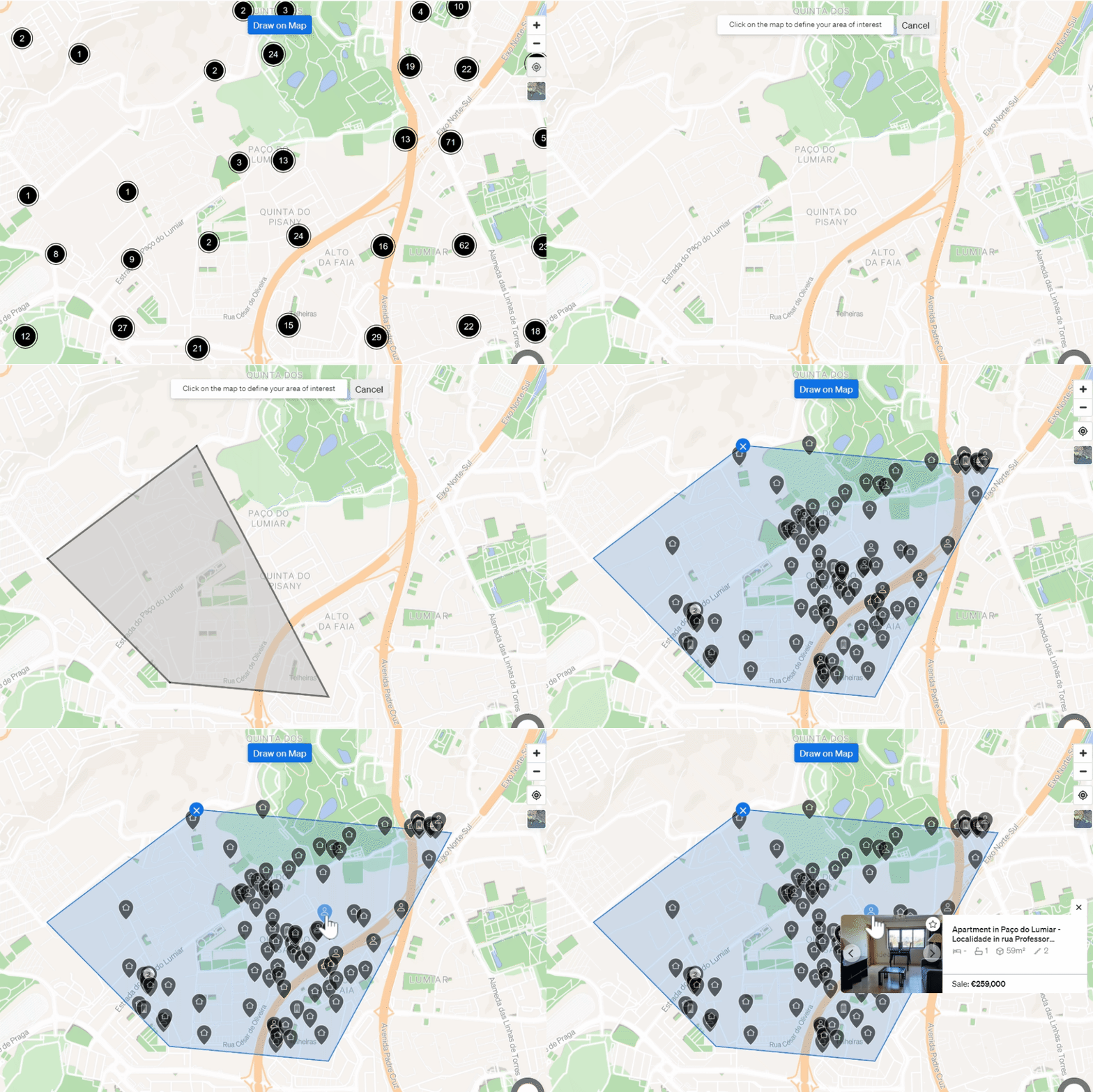
Open the Property Sourcing page and click the Draw on map button above the map. A cross appears, and you can use it to freely outline your area of interest.
- Go to the Property Sourcing page.
- Click Draw on map, above the map.
- When the cross appears, draw freely around the area you are interested in.
For help, email support@casafari.com or go to Help Center > Contact Us inside the platform.
Last updated: