
What should I do if the same property is listed twice?
Open both listings and click Mark as Duplicate on each one. The option sits above the property details, next to the leave comment option. CASAFARI then reviews the pair and, if it confirms they are the same property, merges them into a single listing.
CASAFARI detects and merges duplicate listings automatically. Because of the volume of data and the differences in how portals list properties, some duplicates still appear. Reports from users help improve the system.
How to mark a duplicate
- Log in to your CASAFARI account.
- Use the search tools to locate the listings you believe represent the same property.
- Open the property page of the first listing.
- Click Mark as Duplicate, found above the property details next to the leave comment option.
- Confirm the action.
- Open the property page of the second listing and repeat steps 4 and 5.
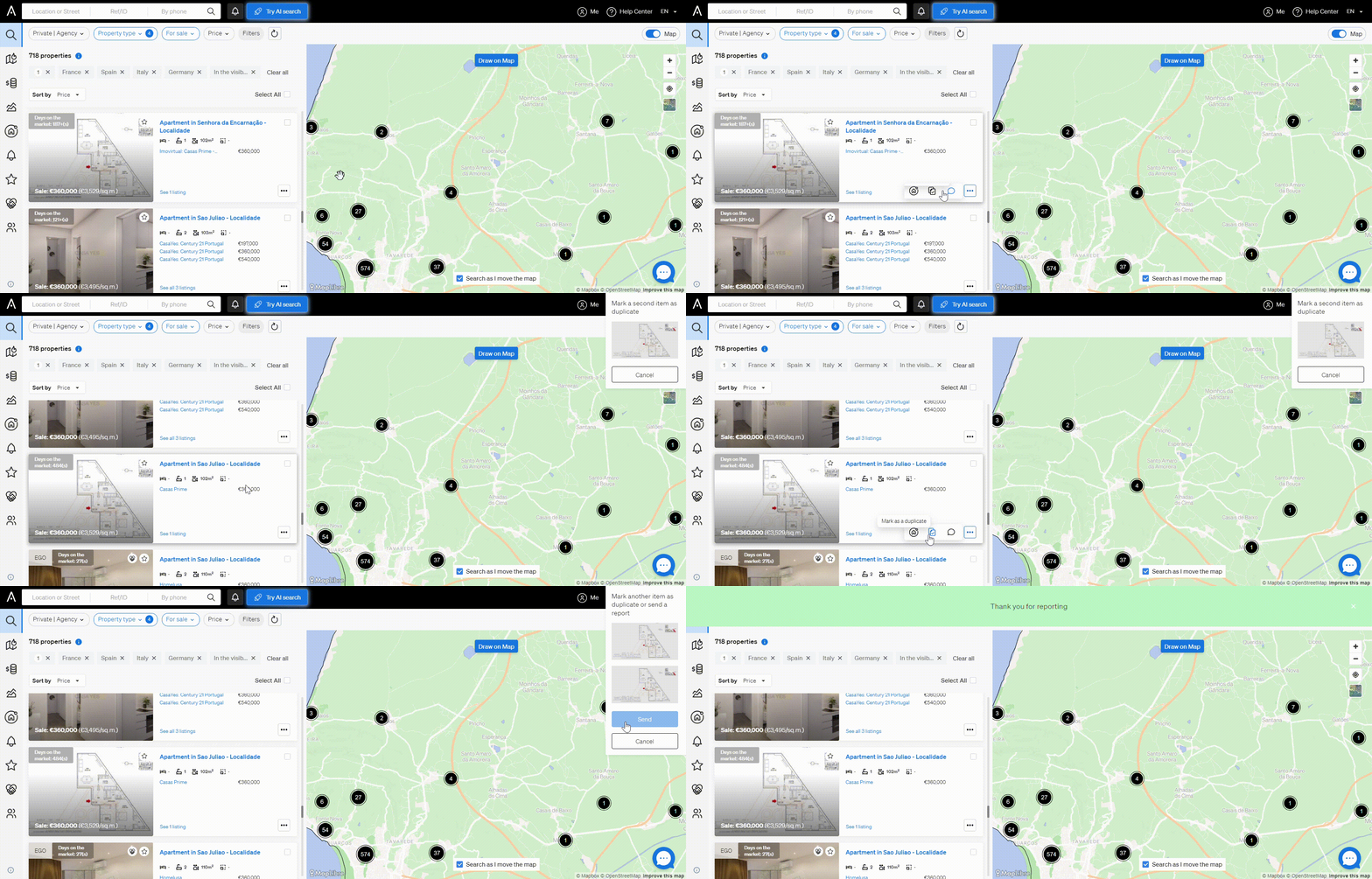
What happens next
CASAFARI’s data processing system and quality assurance team review the listings you flagged. If the duplicate is confirmed, the entries are merged into a single listing that combines all available details, sources and updates.
Why duplicates appear
- Multiple agencies are advertising the same property.
- The address or description varies slightly between listings.
- Portals publish listings in different ways.
Good to know
- Mark both listings, not just one.
- Reporting duplicates leads to cleaner search results, more accurate market insights and a better experience for all CASAFARI clients.
- For questions about marking duplicates, contact support@casafari.com or go to Help Center > Contact Us inside the platform.
Last updated: