
What is the difference between purple and black sold properties in comparables?
In the CMA tool's comparables list, purple sold properties have closed transaction prices from official or verified closing records. Black sold properties are listings marked as sold without closed transaction price data, so prioritise purple ones for a more accurate valuation.
The colour coding shows what kind of data is available for each sold property. Black entries are typically based on listing status rather than on a recorded closing price.
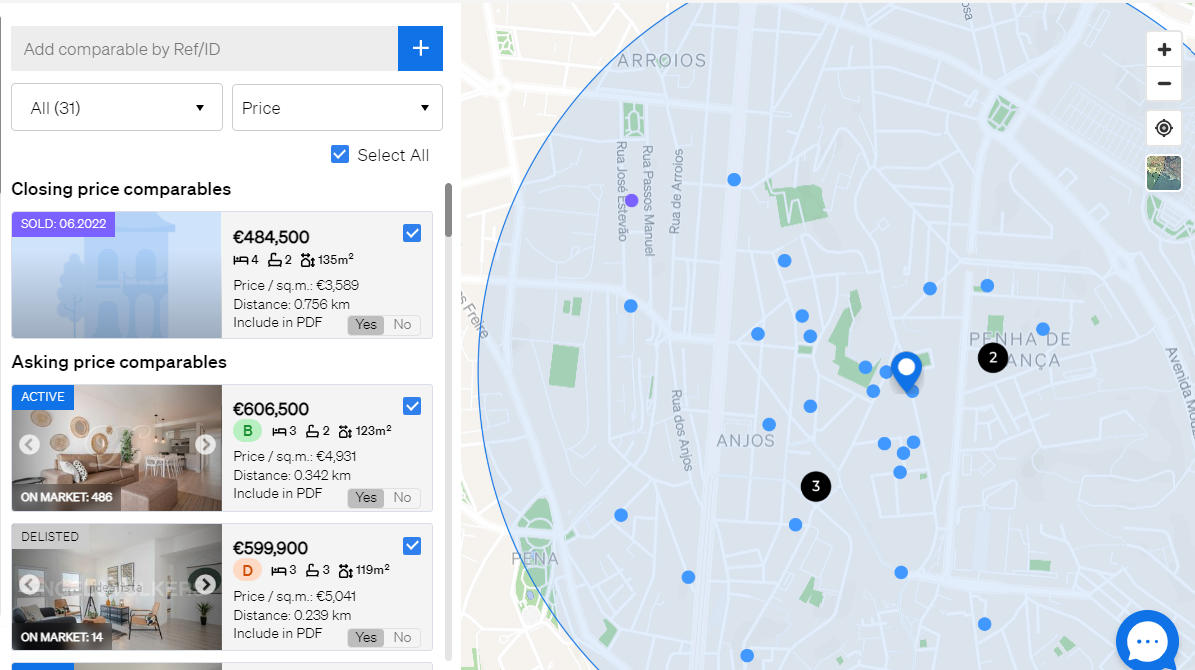
Where to find the comparables list
- Log in at https://www.casafari.com/login.
- From the main menu, open the Property Valuation (CMA) tool.
- Search for the property using its address, postcode or cadastral reference.
- Run the valuation.
- Open the Evaluation tab.
The list of comparables, including sold properties marked in purple or black, appears in the Evaluation tab.
Good to know
- Basing your CMA on purple properties makes your valuation more accurate and more credible.
- If you are unsure about a colour code or data source, contact support@casafari.com or go to Help Center > Contact Us inside the platform.
Where purple prices come from
Registered transaction prices come from official sources: Notariado in Spain, INE in Portugal, DVF in France, Agenzia delle Entrate in Italy and RCN in Poland and Statistik Austria in Austria. A purple tag therefore means the price was registered in an official source, not taken from a listing.
Last updated: