
How do I generate a report in a different language?
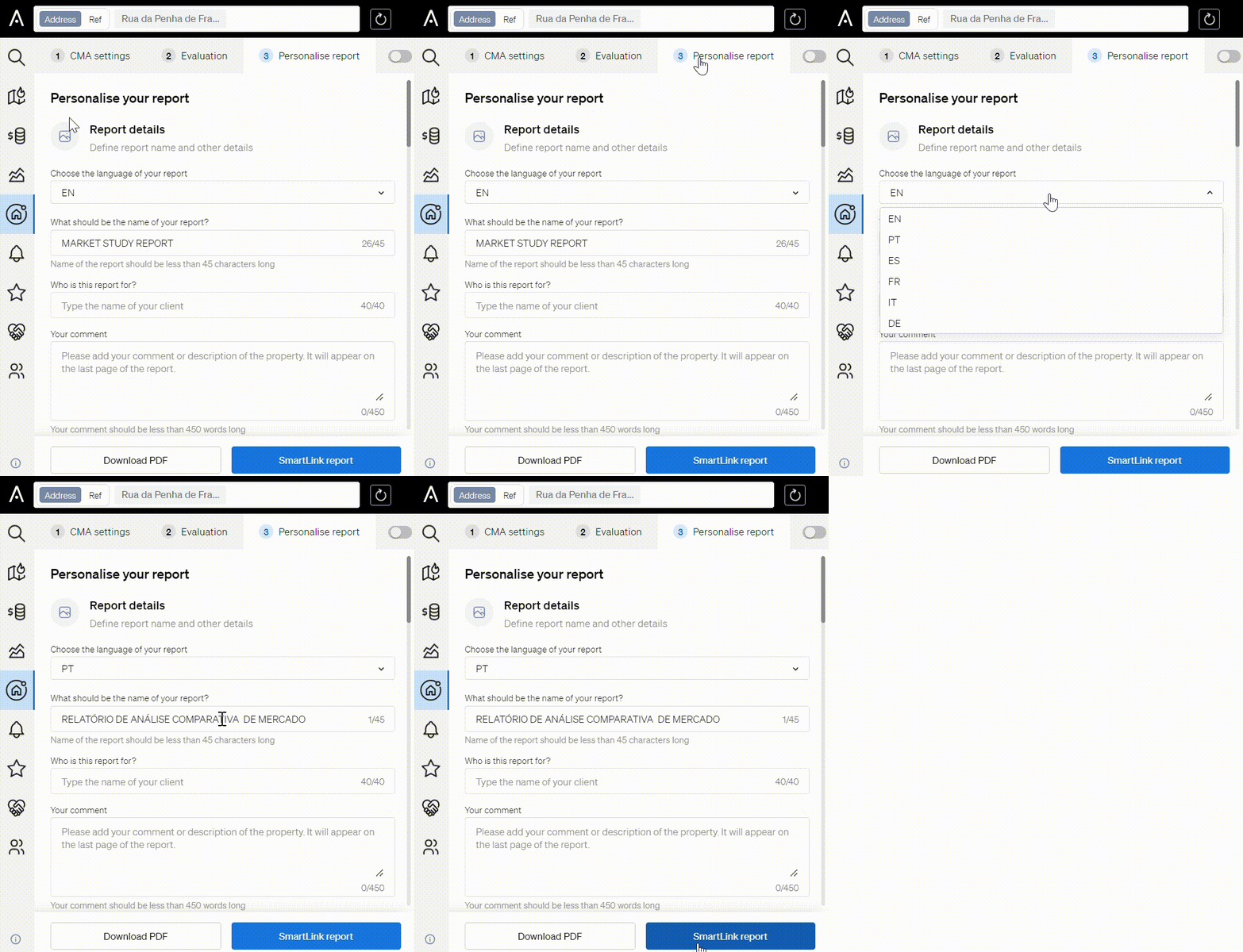
To generate all your reports in another language, select it from the language selector at the top right of the CASAFARI platform. To change the language of a single property valuation report only, click Personalize within your valuation and select the language for that report.
CASAFARI supports six languages: English, French, Portuguese, Spanish, Italian and German. You can generate reports in any of them.
Change the language for all reports
- Find the language selector at the top right of the CASAFARI platform.
- Click the language icon to see the available languages.
- Click the language you want.
The language applies across the platform. Your reports will now be generated in that language.
Change the language for one property valuation report
Use this method when only one property valuation report, for example one for a specific client, needs a different language.
- Click Personalize within your valuation.
- Select the language from the available options for that report.
Good to know
- Changing the platform language affects the whole platform, not only your reports.
- The language you choose in Personalize applies to that specific property valuation report only.
If you need help, email support@casafari.com or go to Help Center > Contact Us inside the platform.
Last updated: