
How do I add or remove comparables in my valuation?
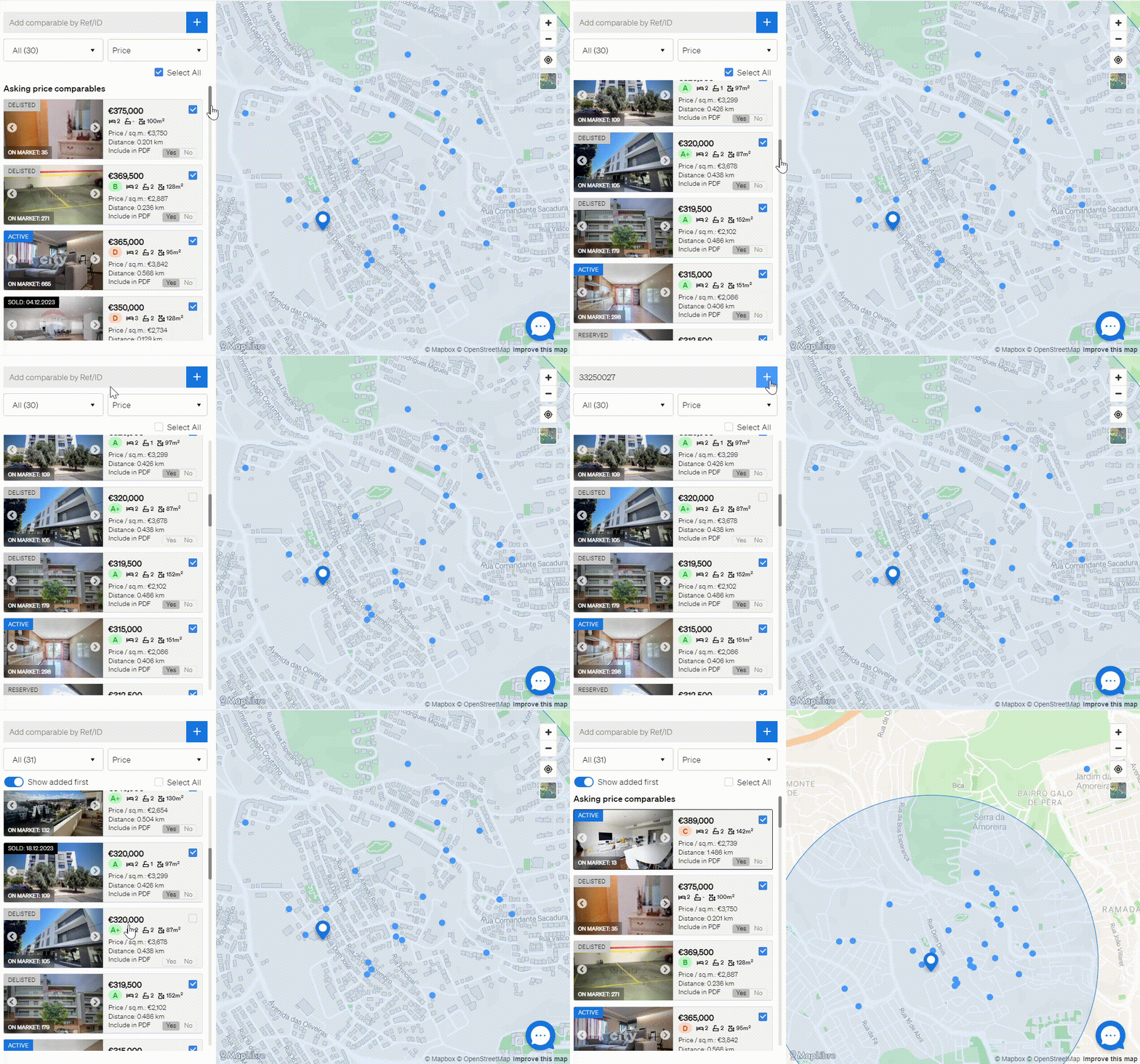
Run your valuation in the CMA tool and open the Evaluation tab. Untick the box next to a listing to remove it as a comparable, or type a property's listing reference in the search bar at the top of the comparables list and click + to add it.
Adjusting your comparables makes the valuation reflect the properties that best match the one you are assessing.
- Log in to your CASAFARI account at https://www.casafari.com/login.
- Open the CMA tool from the main menu.
- Search for the property you want to value using its address, postcode or cadastral reference.
- Fill in the property details on the CMA settings tab.
- Click Value to see your initial results.
- Go to the Evaluation tab.
- To remove a comparable, untick the box next to the listing.
- To add a comparable, type the property’s listing reference in the search bar at the top of the comparables list and click +.
Create your report
When your list of comparables is final, click Export & Share. You can edit the layout and content of the report, then export it as a PDF or share it as a SmartLink.
Good to know
- You can only add comparables manually by their listing reference.
- For the most accurate analysis, choose comparables that closely match the property’s location, size and features.
If you need help adjusting your list of comparables, contact support@casafari.com or go to Help Center > Contact Us inside the platform.
Last updated: